

Enterprise Wireless Network Design Services: Predictive Design, Capacity Modeling, AP-on-a-Stick Validation
Vendor-neutral wireless network design services for enterprise sites across all of California — predictive design with full validation, AP placement, capacity modeling, post-install acceptance, and closeout deliverables for Cisco, HPE Aruba, Juniper Mist, Ruckus, and Extreme estates. Ekahau ECSE on every engagement; multi-CCIE bench. Greater Los Angeles, Bay Area, Inland Empire, Central Valley, Central Coast, Sacramento Valley, North Coast, Sierra, Desert.
Ekahau ECSE — Certified Survey Engineer on every engagement
Multi-CCIE engineering bench
Fixed-fee SOW — no T&M surprises
25 years of enterprise networking leadership
Survey and design are not separate services on a Wi-Fi 7 / Wi-Fi 6E network — they are two phases of one engineering deliverable. WiFi Hotshots delivers both as a single fixed-fee scope across enterprise wireless engineering, campus LAN refresh, healthcare clinical wireless, K-12 1:1 wireless, warehouse AGV and AMR wireless, casino gaming-floor wireless, aerospace and industrial wireless, and outdoor AGV PtP/PtMP backhaul — statewide California, vendor-neutral, every fact sourced from primary documentation.
Why Site Survey and Design Are Inseparable on Modern Wi-Fi 7 / Wi-Fi 6E Networks
Wi-Fi 7 was ratified in 2025 and brings three architectural shifts that collapse the validity window of any “design without survey” or “survey without design” deliverable. The first is the 320 MHz channel — double the 160 MHz maximum that Wi-Fi 6 and Wi-Fi 6E supported. Per Cisco Meraki’s Wi-Fi 7 Technical Guide, only the 6 GHz band can host 320 MHz channels in the United States, yielding three non-overlapping 320 MHz channels across UNII-5 / UNII-6 / UNII-7 / UNII-8. The second is 4096-QAM (4K-QAM), which carries 12 bits per symbol versus 1024-QAM’s 10 bits and produces approximately a 20% theoretical PHY-rate gain over Wi-Fi 6 — but only at extremely high SNR (~35 dB practical floor). The third is Multi-Link Operation (MLO), which lets a single client/AP association use 2.4, 5, and 6 GHz simultaneously, with the 5 + 6 GHz pairing being the most practical real-world combination per HPE Aruba’s TechDocs.
A predictive design that does not validate against the live RF environment cannot answer the questions Wi-Fi 7 forces on the design phase. Will 4K-QAM hold at the design AP density, or will the SNR floor force fallback to 1024-QAM and erase the headline rate gain? Will the client fleet support MLO, or will the design produce idle 6 GHz radios because the existing endpoints fall back to 5 GHz only? Will the predicted 6 GHz Standard Power outdoor coverage actually clear the FCC AFC operator database registration cycle, or will the AP get throttled to Low-Power Indoor before it ships traffic? None of those questions resolve in the predictive software. They resolve on a Sidekick walk.
A survey without a design phase is the inverse failure: an AP count without a capacity model. Counting APs from a passive walk produces a heatmap, not a network. The capacity question — how many concurrent associations per AP at what application class with what MCS distribution — is a design output, sourced from Cisco / HPE Aruba / Juniper Mist / Ruckus / Extreme validated design guides and reconciled against the actual client device profile on the floor. Without that reconciliation, the AP count is wrong by 30-50% in either direction depending on the workload. Survey and design are two phases of one continuous engineering scope; WiFi Hotshots delivers them as one fixed-fee deliverable.
The WFHS Wireless Design Methodology — Capacity, Coverage, Roaming, Spectrum
Wireless design rests on four pillars. Capacity answers the concurrent-client question per AP at the application bandwidth budget appropriate to the workload. The MCS distribution from the IEEE 802.11ax / 802.11be tables drives the math: a 4K-QAM Wi-Fi 7 client at 320 MHz channel width near the AP delivers a different per-client share than a 1024-QAM Wi-Fi 6 client at 80 MHz at the cell edge, and the design has to model the realistic fleet — not the theoretical PHY peak. Cisco’s Catalyst 9800-CL scales from 1,000 APs / 10,000 clients up to 6,000 APs / 64,000 clients depending on resource allocation per Cisco’s published 9800 FAQ, and the controller scale ceiling is one input into the capacity envelope.
Coverage answers the signal-strength target by application class, secured by secondary-AP overlap. CWNP CWDP forum guidance places general-purpose data coverage at -67 dBm to -70 dBm RSSI with SNR ≥20 dB. Voice over Wi-Fi tightens the target: Vocera’s Infrastructure Planning Guide cites -70 dBm minimum, Spectralink Versity’s Best Practice Guide targets -67 dBm primary cell with -72 dBm secondary roaming threshold, and the WFHS reconciled planning anchor is -65 dBm primary / -67 dBm voice / -70 dBm marginal. Location-services and RTLS coverage typically target -65 dBm primary signal with three-AP overlap for trilateration accuracy under five meters.
Roaming is the IEEE 802.11r-2008 Fast BSS Transition layer plus 802.11k Neighbor Reports plus 802.11v BSS Transition Management. Per Cisco’s published 802.11r BSS Fast Transition documentation, FT reassociation typically completes under 50 ms — with implementations as fast as ~13 ms in lab conditions. The 802.11k mechanism gives the client a candidate-AP list to pre-evaluate before the roam decision; 802.11v lets the AP request that the client transition. Best results require all three protocols enabled on the infrastructure AND supported by the client; modern Apple iOS, Android, and Windows 10/11 fleets all support v, but mixed-vintage device pools require Aruba OKC or Cisco’s FT-Adaptive mode for legacy interop.
Spectrum ties the design to the regulatory plan. The 2.4 GHz band carries three non-overlapping 20 MHz channels per FCC 47 CFR § 15.247 (channels 1, 6, 11). The 5 GHz band carries 25 × 20 MHz channels across UNII-1, UNII-2A (DFS), UNII-2C (DFS), and UNII-3 per eCFR 47 CFR § 15.407, with DFS-required channels mandating a 60-second Channel Availability Check before transmission, a 10-second cease-transmission window after radar detection, and DFS that cannot be operator-disabled. The 6 GHz band — 5.925-7.125 GHz, 1200 MHz total per the FCC Fact Sheet — carries 59 × 20 MHz, 29 × 40 MHz, 14 × 80 MHz, 7 × 160 MHz, and three non-overlapping 320 MHz channels. Standard Power (up to 36 dBm EIRP / 4 W) applies only in UNII-5 and UNII-7 and requires AFC registration; Low-Power Indoor and Very-Low-Power operate without AFC across the full band.
The WFHS Wireless Survey Methodology — Pre-Predictive, Predictive, Validation, Post-Install
The WFHS methodology runs in four phases anchored to the CWNP CWDP-304 exam objectives and Ekahau’s published predictive-survey discipline. Pre-predictive is the scoping phase. The team reviews architectural floor plans (DWG, RVT, or PDF), captures the vertical-specific capacity model — clinical voice handoff, casino gaming floor, K-12 1:1 classroom, warehouse AGV — and decides whether a spectrum survey is required for the brownfield environment. The CWDP curriculum explicitly defines predictive surveys as software-modeled coverage informed by floor plans, AP placements, and wall material attenuation; the pre-predictive phase produces the inputs that feed the model. Where the engagement covers Greater LA, the Los Angeles survey flow handles the multi-tenant high-rise pre-predictive scoping; in the Santa Clarita Valley, the Santa Clarita survey flow handles tilt-up concrete warehouse pre-predictive scoping; and in the SFV corridor, the San Fernando Valley survey flow handles the mixed studio / hospital / school district capacity envelopes.
Predictive is the Ekahau Pro / Ekahau AI Pro design pass. Walls are calibrated to attenuation values appropriate to the construction (CMU, drywall, tilt-up concrete, steel mezzanine, glass curtain wall), AP attenuation profiles are matched to the platform under consideration (Catalyst 9176I, Aruba 730 Series, Mist AP47, Ruckus R770, Extreme AP5050), and the channel plan is laid against the FCC channel list — UNII-1, UNII-2A (DFS), UNII-2C (DFS), UNII-3 in 5 GHz; UNII-5 / UNII-7 in 6 GHz with AFC Standard Power scoped where applicable. The output is the .esx project file with predictive heatmaps at design dBm tiers (-65 / -67 / -70 / -75) per CWNP CWDP industry-accepted thresholds. The Antelope Valley survey flow handles aerospace and industrial site predictive design where Class I Div 2 hazardous-location AP selection enters the model; the Inland Empire survey flow handles the warehouse-corridor predictive design with high-bay racking and AGV roaming envelopes.
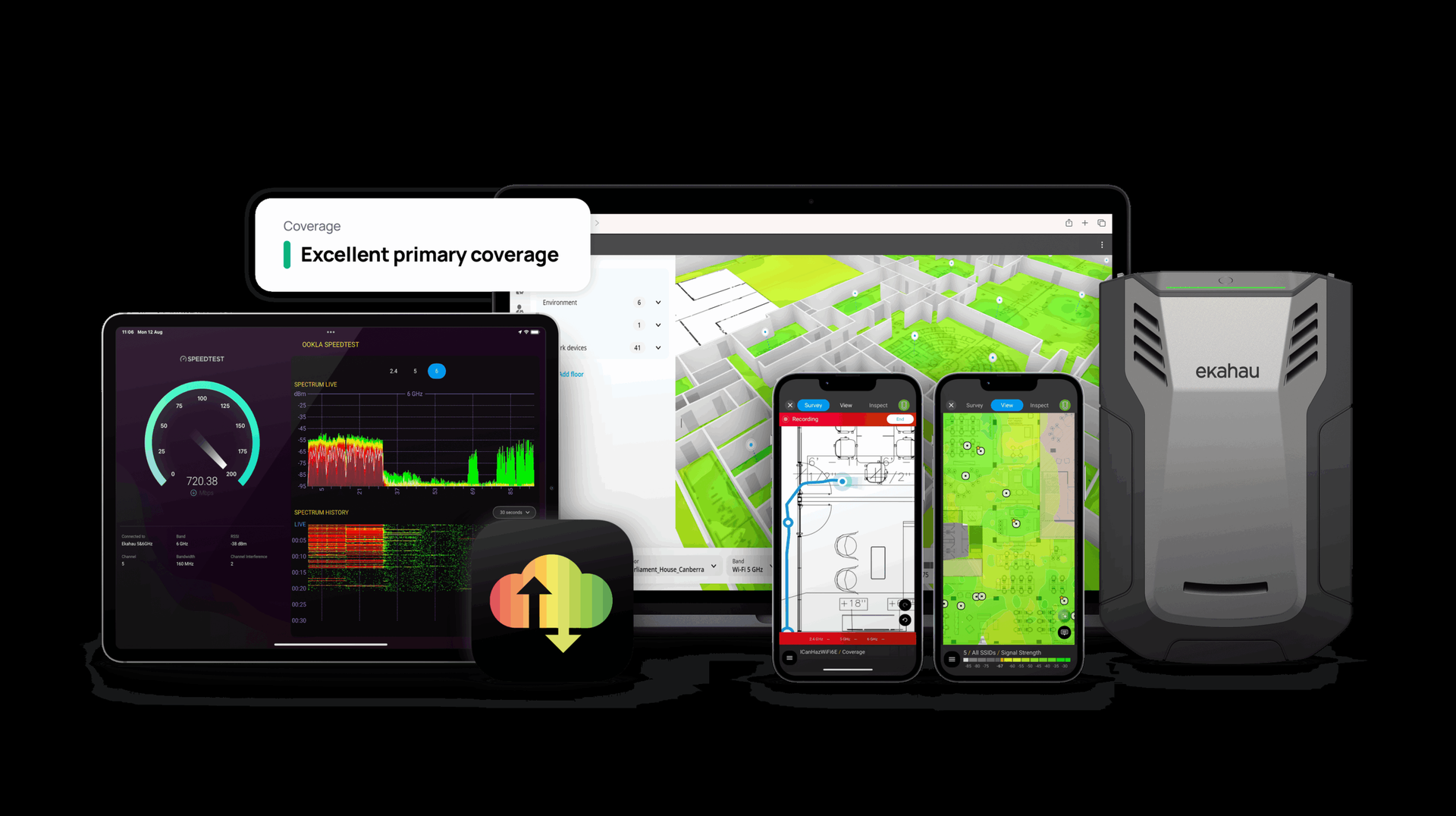
Validation is the AP-on-a-stick on-site phase. The Ekahau Sidekick 2 — a USB-attached survey device with integrated dual radios and spectrum analyzer covering 2.4, 5, and 6 GHz — captures live RF measurements without associating to any SSID, per the CWNP CWAP definition of passive survey. Where Wi-Fi 7 6 GHz APs are in scope, the survey captures actual UNII-5 through UNII-8 channel availability and quantifies real wall attenuation against the predictive model. Discrepancies between predictive and measured drive AP placement adjustments before installation, not after. The Orange County survey flow handles the validation walk for hospitality / healthcare / corporate-campus mix from Anaheim to Irvine to Newport; the San Diego survey flow handles validation walks where MCAS Miramar and NAS North Island radar adjacency drives DFS-channel viability site-by-site.
Post-install is independent acceptance testing per CWNP CWAP active-survey methodology. The Sidekick 2 plus iPerf3 to AP measures actual capacity per zone, retry rate, throughput holding under load, and roaming behavior — including the 802.11r FT reassociation gap captured zone-by-zone. The deliverable is a post-install heatmap (passive RSSI, SNR, AP visibility), an active-test report (throughput, retry, MOS for voice clients per ITU-T G.107), a 802.11r FT roaming decision log, and a vendor-specific configuration template. Each artifact is anchored to Tier-1 documentation; no claim ships without a primary-source citation. Where the engagement covers desert sites, the Palm Desert survey flow handles post-install acceptance under 50°C+ ambient and tribal-sovereign gaming-floor scope; in the southern Central Valley, the Bakersfield survey flow handles post-install acceptance for ag-processing, food-and-beverage cold-storage, and oil-and-gas industrial deployments across Kern County.
Per-Vertical Design Considerations Across California
Each vertical drives a specific capacity, coverage, and roaming target that materially changes the AP count and channel plan. The H3 sub-sections below name the regulatory or operational anchor and the design implication.
Healthcare clinical wireless (HIPAA + Joint Commission)
HIPAA Security Rule 45 CFR Part 164 Subpart C governs wireless transmission of ePHI; § 164.312 Technical Safeguards — Transmission Security drives the encryption-in-transit baseline (typically WPA3-Enterprise or WPA2-Enterprise plus TLS endpoints). Clinical voice — Cisco IP Phone 8821, Spectralink Versity, Vocera — is the most aggressive roaming target on the floor. Per the Vocera Infrastructure Planning Guide, voice handsets perform a roam scan every 5 seconds when RSSI is below the configured roam threshold, with periodic proactive scans every 10 seconds when above. The design target for clinical floors is -65 dBm primary with secondary-AP overlap and 802.11r FT reassociation under 50 ms; Cisco’s Spectralink VIEW Certified Configuration Guide for the Catalyst 9800-CL enumerates the WLC settings that meet this profile.
K-12 1:1 wireless (E-Rate Category Two + CIPA)
A K-12 1:1 classroom typically hosts 30 students with 2-3 devices, yielding 60-90 concurrent associations per classroom AP; a lecture hall can require capacity for 600+ clients. CIPA (47 USC § 254(h)(5)) requires E-Rate-funded schools to implement internet content filtering and an internet-safety policy. The USAC E-Rate Eligible Services List defines what equipment and services a school can fund through the Universal Service Fund — including internal connections, managed internal broadband services, and basic maintenance. The design phase produces the capacity model that justifies the AP count under E-Rate Category Two funding rules.
Casino gaming-floor wireless (NIGC + GLI + state gaming control board)
NIGC Class III Minimum Internal Control Standards were originally promulgated in 1999 and re-issued as non-binding NIGC Bulletin 2018-3 in August 2018. 25 CFR Part 542 codifies MICS in federal regulations. Gaming Laboratories International publishes wireless gaming standards including GLI-13 (wireless LAN systems) and GLI-26 (wireless gaming systems); these certifications are issued per system-vendor-jurisdiction combination, so the design phase has to confirm the specific GLI cert that applies to the platform under shortlist. PCI DSS 4.0 Requirement 11.2 mandates identification and monitoring of authorized wireless APs and detection of unauthorized rogue APs on the gaming-floor network.
Warehouse AGV and AMR wireless (ANSI/RIA R15.08 + OSHA 29 CFR 1910.178)
ANSI/RIA R15.08-1-2020 specifies safety requirements for industrial mobile robots; R15.08-2-2023 adds IMR system and application requirements. The standard does not prescribe a specific wireless protocol — wireless control reliability is addressed through the broader risk-assessment framework. For sustained-roam mobile workloads, Cisco’s Ultra-Reliable Wireless Backhaul on the IW9165 / IW9167E in URWB mode runs the Fluidity protocol — a make-before-break handoff designed for high-mobility vehicles, with millisecond-range packet-lossless handoff per Cisco’s URWB Software Configuration Guide 17.12.1. OSHA 29 CFR 1910.178 governs powered industrial trucks, which co-exist in AGV zones and drive the safety-process layer.
Aerospace and industrial wireless (NFPA 70 Article 500 + ANSI/UL 121201)
NEC NFPA 70 Article 500 classifies hazardous (classified) locations Class I (flammable gas/vapor), Class II (combustible dust), Class III (ignitable fibers), with Division 1 indicating atmosphere normally present and Division 2 indicating atmosphere not present under normal operation. Equipment for Class I, Division 2 must comply with ANSI/UL 121201 (Nonincendive Electrical Equipment). Cisco’s Industrial Wireless lines IW6300 and IW9167E include Class I Div 2 / ATEX / IECEx variants for hazardous-location deployments — the design phase confirms the SKU table at publish time because Cisco’s Cl I Div 2 catalog evolves.
Higher education and research labs (FERPA + eduroam)
FERPA (20 USC § 1232g; 34 CFR Part 99) governs education records and personally identifiable information of students. eduroam — operated in the United States by Internet2 — uses IEEE 802.1X with EAP framework over a hierarchical RADIUS proxy mesh that routes authentication to the user’s home Identity Provider. Per the GÉANT eduroam deployment documentation, RADIUS realm forwarding is the federation backbone; the design phase confirms that the campus RADIUS infrastructure cleanly proxies to the Federation Level RADIUS Server (FLRS) and back.
Government and Tribal (CJIS + StateRAMP + FedRAMP)
FBI CJIS Security Policy v6.0 (released December 2024) governs handling of Criminal Justice Information; Section 5.20.1.1 covers 802.11 Wireless Protocols. CMMC 2.0 Level 2 requires implementation of all 110 controls in NIST SP 800-171 Rev 2 (or the consolidated set in Rev 3, finalized May 2024) for handling Controlled Unclassified Information. Cisco Meraki for Government achieved FedRAMP Moderate authorization on 2025-02-18 per the Cisco Meraki blog announcement, supporting MR/CW wireless, MS/C9300 switching, MX SD-WAN, and MG cellular gateways across federal and StateRAMP Moderate workloads.
Per-Region Design Considerations Across California
California’s eight functional regions impose distinct RF and operational design constraints. Coastal corrosion, desert thermal cycling, Sierra elevation and lightning, Central Valley agricultural heat and dust, urban DFS density, military-radar-adjacent DFS exclusion, and rural backhaul scarcity all change AP selection, mounting hardware, and channel-plan strategy.
Greater Los Angeles + Orange County (urban dense)
Channel reuse density and urban radar interference dominate the LA basin and OC corridor. California hosts significant DoD radar activity (NAVAIR China Lake, San Diego Navy installations, Vandenberg) and FAA / commercial radar (LAX, SFO, SAN); DFS channel performance on UNII-2A and UNII-2C is highly site-specific and demands a real on-site spectrum capture before the channel plan locks. 6 GHz Low-Power Indoor predominates in dense multi-tenant buildings where RF leakage from adjacent floors complicates the channel plan; Standard Power outdoor 6 GHz applies only where AFC operator registration completes — per FCC OET DA-24-166, the initial February 2024 batch of seven AFC operators (Broadcom, Federated Wireless, Qualcomm, Sony Group, Wireless Broadband Alliance, Wi-Fi Alliance, CommScope) has expanded via subsequent OET DAs.
Inland Empire (Riverside / San Bernardino + warehouse corridor)
The Inland Empire warehouse corridor — Ontario, Moreno Valley, Riverside, San Bernardino, Mira Loma — is the densest AGV / AMR concentration in the state. Thermal extremes drive AP environmental rating: outdoor APs need to handle ambient peaks above 45°C, and Cisco’s CW9163E datasheet confirms an operating range of -40°C to +65°C with 100 mph sustained wind rating per the published Cisco Catalyst 9163E Series data sheet. Indoor warehouse APs face high-bay racking, which creates significant signal voids — a predictive survey is mandatory before AP placement, per CWNP CWDP curriculum.
Central Valley (Fresno / Bakersfield / Stockton / Modesto + agriculture corridor)
Agricultural processing facilities, food-and-beverage cold storage with sub-zero ambient AP zones, and distribution-center concentration drive the AP-selection question. Cold-storage zones require AP enclosures rated for the operating temperature; corrosion-resistant mounting hardware is mandatory in food-processing wash-down zones. Tehachapi Pass area regularly experiences high-wind events due to the venturi effect between Pacific marine air and Mojave desert thermals per NOAA NCEI Storm Events climatology — outdoor AP mounting hardware on the 99 corridor must account for sustained-wind loading.
Central Coast (Salinas / Monterey / SLO / Santa Barbara / Vandenberg)
Coastal salt-fog environments require NEMA 4X (or equivalent IP66/IP67) enclosures and corrosion-resistant mounting hardware per NEMA Standard 250. Vandenberg Space Force Base brings government-adjacent CJIS scope to the region; agricultural and tourism mix shapes the per-site capacity model.
San Francisco Bay Area (SF / Oakland / San Jose / Peninsula / North Bay)
Ultra-dense urban (SF and downtown San Jose) plus tech-campus high-AP-density Wi-Fi 7 deployments shape the design. The Bay Area is one of the earliest production Wi-Fi 7 deployment markets in the country; the 320 MHz channels in 6 GHz, 4K-QAM rate set, and MLO maturity per HPE Aruba’s Wi-Fi 7 features documentation are all in real production traffic on Bay Area campuses. Port-of-Oakland industrial sites add outdoor 6 GHz Standard Power AFC scope on container-yard yard-management deployments.
Sacramento Valley + Foothills (Sacramento / Stockton-north / Auburn / Roseville)
The state government hub brings California Department of Technology scope, CJIS-heavy public-safety networks, and healthcare and public-sector concentration. CJIS Security Policy v6.0 § 5.20.1.1 wireless protocols apply across local and state public-safety wireless networks; the design phase has to satisfy WPA3-Enterprise or equivalent EAP plus FIPS 140-3 cryptographic-module validation for the access-layer infrastructure per the NIST CMVP active list.
North Coast + North State (Eureka / Redding / Crescent City)
Rural backhaul scarcity is the dominant constraint. Remote-clinic Critical Access Hospital wireless and FCC USF Rural Health Care Program-funded sites carry lower AP density but more PtP / PtMP backhaul scope. The design phase has to plan the backhaul layer alongside the AP layer because the two are inseparable in rural California.
Sierra Nevada + Eastern Sierra (Mammoth / Tahoe / Bishop / Bridgeport)
Elevation and lightning drive the resilience layer. Ski-resort seasonal-load wireless and Tahoe-Reno corridor cross-state interop add complexity. Outdoor APs require lightning protection and surge containment; mounting hardware must survive ice loading and freeze-thaw cycles. Coastal-corrosion considerations from NEMA Standard 250 do not apply, but UV degradation and snow loading do.
Desert (Palm Springs / Coachella / Indio / Mojave / Victorville / Imperial / Calexico)
Thermal extremes — 50°C+ ambient — drive extended-temperature AP selection; the Cisco CW9163E -40°C to +65°C envelope per Cisco’s data sheet is the floor for outdoor desert deployments. Tribal-sovereign reservations (Agua Caliente, Cabazon, Morongo, Pechanga, Soboba, Twenty-Nine Palms, Augustine) bring sovereign-nation IT standards and NIGC MICS scope on gaming floors. Federal-government adjacencies (29 Palms USMC, Edwards AFB, Fort Irwin NTC) bring CJIS Security Policy v6.0 scope and FIPS 140-3 cryptographic-module validation to the design phase.
Vendor-Neutral Platform Selection — Cisco / HPE Aruba / Juniper Mist / Ruckus / Extreme
Vendor selection is an engineering decision driven by survey output, not channel-default OEM allegiance. Each platform carries a real strength and a real caveat that the design phase has to weigh against the workload, the existing operations stack, and the compliance posture.
Cisco Catalyst Wireless — Catalyst 9166 / 9176 / 9178 APs paired with the Catalyst 9800 controller and the full Cisco DNAC / Catalyst Center stack. The Catalyst CW9800M scales to 3,000 APs and 32,000 clients with up to 50 Gbps aggregate throughput per Cisco’s published 9800 data sheet; the CW9800H1 scales to 6,000 APs and 64,000 clients with up to 100 Gbps. Catalyst CW916x / CW917x APs support Wi-Fi 7 with MLO and 6 GHz Standard Power via AFC. Cisco Meraki for Government holds FedRAMP Moderate authorization as of 2025-02-18.
HPE Aruba — AP-7xx series (AP-727 / AP-737 indoor and outdoor variants) paired with ArubaOS 10 cloud-managed Aruba Central or on-prem Mobility Conductor. AOS 8 Mobility Conductor scales to 6,000 APs and 96,000 clients across six MC-VA-1K instances per HPE Aruba’s Mobility Conductor QuickSpecs; AOS 10 AP-only deployments have a validated soft limit of 500 APs and 5,000 clients per individual roaming domain. Aruba AP-514 / 515 / 534 / 535 / 584 / 585 / 587 / 635 / 655 are FIPS 140-3 Level 2 validated under the ArubaOS FIPS Firmware per NIST CMVP Security Policy 140sp4916.
Juniper Mist — AP47 (omni), AP47D (60° × 60° integrated directional), AP47E (external antenna) paired with Marvis AI cloud-native management. Per Juniper’s published AP47 datasheet, AP47 is a four-radio Wi-Fi 7 AP with three four-spatial-stream data-serving radios at peak PHY rates of 11,528 Mbps (6 GHz), 5,764 Mbps (5 GHz), 1,376 Mbps (2.4 GHz), with dual 10 Gigabit Ethernet ports for power and data failover. Marvis surfaces Service-Level Expectation (SLE) breaches and recommends roaming-policy adjustments based on telemetry.
CommScope Ruckus — R770 (Wi-Fi 7) and R760 (Wi-Fi 6E) APs paired with SmartZone or RUCKUS One. Per the SmartZone 144 product page, SZ-144 manages up to 2,000 APs / 400 switches / 40,000 clients per controller; in a 3+1 Active-Active cluster, SZ-144 scales to 6,000 APs / 1,200 switches / 120,000 clients. The SmartZone 144 Federal variant addresses FIPS / federal market requirements per the published Ruckus product page.
Extreme Networks — AP4xx and AP5xx series (AP5050 Wi-Fi 7 flagship) paired with ExtremeCloud IQ Controller. ExtremeCloud IQ supports 802.11r/k/v plus proprietary Extreme Smart Roaming on AP5xx. Specific scale ceilings and current admin-guide URLs are confirmed against Extreme datasheets at design time.
The decision matrix examines license-cost trajectory over five years, AI-Ops feature surface, controller-versus-cloud architecture, AFC Standard Power outdoor 6 GHz support cadence, Wi-Fi 7 4K-QAM and MLO maturity, and FedRAMP / FIPS / CJIS posture. Cross-link to the comparison library: Wi-Fi 7 Flagship APs, Wi-Fi 6E Flagship APs, Cloud Wireless Management, Enterprise Hardware Wireless Controllers.
Validation Testing — Field-Validated vs Vendor Telemetry-Self-Reported
Post-install acceptance is an independent engineering deliverable, not a screenshot of the wireless controller’s “all green” telemetry dashboard. The CWNP CWAP curriculum draws the distinction explicitly: passive surveys collect actual RF measurements (RSSI, SNR, AP visibility) from the live environment without associating to any SSID, while active surveys associate to the target SSID and measure throughput, packet loss, retry rate, and roaming behavior. Vendor controller telemetry — Cisco DNAC, Aruba Central, Mist Cloud, RUCKUS One, ExtremeCloud IQ — reports what the AP thinks is happening; an independent CWAP-anchored capture reports what the RF actually shows.
The WFHS validation deliverable produces five artifacts. Passive RF capture with Sidekick 2 measures signal, SNR, channel co-channel and adjacent-channel interference, and AP visibility. Active iPerf3 testing to AP measures actual capacity per zone with TCP and UDP profiles matched to the workload. MOS-to-AP for voice clients — calculated per ITU-T G.107 E-model — quantifies the voice quality the VoWi-Fi handset will actually experience on the floor. 802.11r FT roaming decision log captures every reassociation event with the timing, the source AP, the target AP, and the reassociation gap in milliseconds. Primary/secondary AP coverage overlap heatmap confirms three-AP overlap at the design dBm threshold for RTLS or trilateration where the use case requires it.
The deliverable maps to CWNP CWAP analysis methodology rather than to a vendor self-attested telemetry dashboard; this is the validation discipline that distinguishes engineering acceptance from sales-engineer screenshots. Cross-link to independent validation testing for the cross-discipline methodology that applies to wired and wireless together.
What WFHS Delivers vs What’s Just A Heatmap PDF
The WFHS closeout package is a buyer-protection deliverable. Each artifact is named line-by-line so the buyer knows exactly what arrives at handoff and what they own going forward. Ekahau .esx project file — the canonical Ekahau format containing floor plans, survey data, AP placements, walls, channel and power plans, and heatmaps. The buyer owns this file. They can open it in Ekahau Pro, revise it during a future expansion, hand it to a different engineering firm, or use it as the baseline for an annual validation re-walk. A vendor that withholds the .esx file locks the buyer out of revisions and re-uses; WFHS hands it over.
Predictive heatmap (PDF export of Ekahau predictive coverage at the design dBm thresholds — typically -67, -70, and -75 dBm tiers per CWNP CWDP industry-accepted planning bands). Passive validation heatmap (post-install Sidekick walk capturing actual measured RSSI, SNR, AP visibility). Active validation report (post-install Sidekick plus iPerf or Ekahau active testing — throughput, retry rate, roam-time per zone). Channel and AP power table (per-AP channel assignment in 2.4, 5, and 6 GHz, transmit power, antenna pattern if external). Bill of Materials with vendor SKUs (AP model, mount, console cable, PoE injector if needed, antenna SKU if external). Escalation runbook (operational playbook covering roaming-issue triage, RF-anomaly check, controller-failover procedure). CWNE-signed letter where the engagement complexity warrants it — Certified Wireless Network Expert is the apex CWNP credential, requiring endorsement by three existing CWNEs and original technical contributions per the CWNP CWNE certification page.
Contrast this with a “heatmap PDF only” deliverable: no .esx source file, no validation, no channel plan, no roaming matrix, no BOM, no runbook. The heatmap PDF answers one question — does the predicted coverage meet the design threshold — and leaves every other question to the buyer’s operations team. WFHS delivers the full closeout package as the engineering output, not a slide.
Frequently Asked Questions
Wi-Fi 6E vs Wi-Fi 7 design differences — what changes in the design phase?
Three architectural shifts. First, channel width: Wi-Fi 6E maxes at 160 MHz; Wi-Fi 7 supports 320 MHz, doubling the per-channel capacity but requiring 6 GHz UNII-5/6/7/8 deployment to host it. Second, modulation: Wi-Fi 7 4096-QAM carries 12 bits per symbol versus Wi-Fi 6E’s 1024-QAM (10 bits) — approximately 20% theoretical PHY-rate gain, but only at ~35 dB SNR, achievable only close to the AP. Third, Multi-Link Operation: Wi-Fi 7 lets a single client/AP association use 2.4, 5, and 6 GHz simultaneously per HPE Aruba’s TechDocs Wi-Fi 7 features, with the 5+6 GHz pairing being the most practical real-world combination through 2026. The design phase models all three against the actual client fleet.
How many APs do I need? What does the AP-count math actually look like?
AP count is a capacity-and-coverage reconciliation, not a square-footage formula. The capacity input comes from the concurrent-client model at the application bandwidth budget — voice handset count plus laptop count plus IoT device count plus AGV count — multiplied by the realistic MCS distribution from the IEEE 802.11ax / 802.11be tables. The coverage input comes from the design dBm target at the application class — -65 dBm primary for voice or RTLS, -67 to -70 dBm for general data per CWNP CWDP forum guidance. The two inputs reconcile against the controller scale ceiling — Catalyst 9800-CL scales 1,000 to 6,000 APs depending on resource allocation per Cisco’s published 9800 FAQ. The design output is an AP placement schedule with per-AP justification, not a number pulled from a square-footage table.
AFC Standard Power outdoor 6 GHz — when does it apply, and what’s the coordination workflow?
AFC Standard Power applies only in UNII-5 and UNII-7 of the 6 GHz band and is required for transmit power above the Low-Power Indoor cap (up to 36 dBm EIRP / 4 W for Standard Power). Per FCC OET DA-24-166 (Feb 2024), the initial batch of seven AFC operators included Broadcom, Federated Wireless, Qualcomm, Sony Group, Wireless Broadband Alliance, Wi-Fi Alliance, and CommScope; subsequent OET DAs have expanded the operator list. The coordination workflow runs the AP geolocation against the AFC operator’s database query, returns the channel-and-power table the AP is allowed to use at that location, and refreshes on the cadence the operator publishes. Indoor LPI and Very-Low-Power operate without AFC across the full 1200 MHz band. The design phase confirms which deployment sites need Standard Power and registers them with the chosen AFC operator.
What roaming target should I design to for healthcare clinical voice (Vocera, Spectralink)?
Clinical voice carries the most aggressive roaming target on the floor. The Vocera Infrastructure Planning Guide specifies a -70 dBm minimum RSSI with handsets performing roam scans every 5 seconds when below the configured roam threshold and proactive scans every 10 seconds when above. The Spectralink Versity Best Practice Guide targets -67 dBm primary cell with -72 dBm secondary roaming threshold. The reconciled design anchor is -65 dBm primary, -67 dBm voice, -70 dBm marginal — with 802.11r FT enabled and reassociation under 50 ms per Cisco’s published 802.11r BSS Fast Transition documentation. Cisco’s Spectralink VIEW Certified Configuration Guide for the Catalyst 9800-CL enumerates the WLC settings that meet this profile.
K-12 1:1 wireless — how do I size capacity for 1.5x enrollment concurrent?
A 1:1 K-12 classroom typically hosts 30 students with 2-3 devices, yielding 60-90 concurrent associations per classroom AP; a lecture hall can require capacity for 600+ clients. The capacity model multiplies the concurrent-device count by the application bandwidth budget — video streaming, instructional apps, testing platforms — and reconciles against the per-AP ceiling at the realistic MCS distribution. CIPA (47 USC § 254) requires E-Rate-funded schools to implement internet content filtering. The USAC E-Rate Eligible Services List defines what equipment a school can fund through the Universal Service Fund — including internal connections under Category Two. The design phase produces the capacity model that justifies the AP count under the funding ceiling.
Casino gaming-floor wireless — what does NIGC + GLI-26 require for SOGS isolation?
NIGC Class III Minimum Internal Control Standards were originally promulgated in 1999 and re-issued as non-binding NIGC Bulletin 2018-3 in August 2018; 25 CFR Part 542 codifies MICS in federal regulations. Gaming Laboratories International publishes GLI-13 (wireless LAN systems) and GLI-26 (wireless gaming systems) — GLI certifications are issued per system-vendor-jurisdiction combination, so a vendor’s “GLI-13 certified” claim must be tied to a specific cert number. The design phase isolates the SOGS / EGM control plane from the surveillance network and from the guest / employee wireless via VLAN segmentation and per-SSID role-based access; PCI DSS 4.0 Requirement 11.2 mandates rogue-AP scans at least quarterly per the PCI DSS Wireless Guidelines.
Warehouse AGV / AMR — why does standard 802.11r FT fail at sustained 1 Hz roam?
Standard 802.11r FT typically completes reassociation under 50 ms per Cisco’s published 802.11r BSS Fast Transition documentation — fast enough for a human walking down a corridor, but not for an AGV crossing AP cells at 1 Hz with a safety-PLC watchdog timer measured in tens of milliseconds. At sustained 1 Hz roam, the cumulative offline window during reassociation exceeds the safety-PLC tolerance, and the AGV either fails-safe to a stop or loses control-plane visibility. Cisco’s Ultra-Reliable Wireless Backhaul on the IW9165 / IW9167E in URWB mode runs the Fluidity protocol — a make-before-break handoff with millisecond-range packet-lossless transition — designed for high-mobility AGV / AMR / vehicle backhaul. ANSI/RIA R15.08-1-2020 governs the IMR safety risk-assessment framework that includes wireless control reliability.
802.11r FT vs 802.11k Neighbor Reports vs 802.11v BSST — which actually drives roaming?
All three contribute. Cisco’s published 802.11r BSS Fast Transition documentation describes 802.11r-2008 as reducing reassociation time by piggybacking PTK and QoS admission control on Authentication and Reassociation messages — typically under 50 ms reassociation gap. 802.11k provides Neighbor Reports, a candidate-AP list the client can pre-evaluate before deciding to roam — client-driven hint, not AP-enforced. 802.11v BSS Transition Management lets the AP request that the client roam (BTM Request). Best results require all three enabled on the infrastructure AND supported by the client; modern Apple iOS, Android, and Windows 10/11 all support v. The three protocols complement each other: k informs the decision, v requests it, r accelerates the execution.
Mixed-vendor 802.11r — does FT actually work across Cisco and Aruba in the same airspace?
802.11r FT is standards-based; cross-vendor FT works in principle. In practice, mixed-vendor airspace is rarely configured for FT because the controllers do not share the FT-key cache. Per Cisco’s Catalyst 9800 Best Practices Guide, FT-Adaptive mode publishes the FT BSSID only to clients that advertise FT support — important for legacy-client interop. HPE Aruba supports 802.11r FT, OKC (Opportunistic Key Caching, Aruba-proprietary, predates 802.11r), and PMK caching as roaming-acceleration mechanisms in ArubaOS 8.x and ArubaOS 10. The pragmatic design decision in mixed-vendor airspace is to run separate SSIDs with separate FT domains, accepting slower roams across the boundary; or standardize the airspace on one controller stack to keep FT-key cache coherent.
Outdoor wireless for coastal CA (salt-air corrosion) — what NEMA / IP rating is mandatory?
Coastal salt-fog environments require NEMA 4X (or equivalent IP66 / IP67) enclosures and corrosion-resistant mounting hardware per NEMA Standard 250 (Enclosures for Electrical Equipment). NEMA 4X specifies enclosures intended for indoor or outdoor use that provide a degree of protection against corrosion, falling dirt, and rain — and is the published anchor for harbor, coastal, and salt-fog deployments. Cisco’s Catalyst CW9163E outdoor AP carries IP67 rating per the CW9163E datasheet and operates from -40°C to +65°C with 100 mph sustained wind rating. Mounting hardware — brackets, lag bolts, conduit — must match the AP corrosion rating, otherwise the mounting layer fails before the AP does.
Outdoor wireless for desert CA (50°C ambient) — how does thermal extreme change AP selection?
Desert ambient peaks above 45°C in summer at Palm Springs, Indio, Mojave, Victorville, and the Imperial Valley; outdoor AP selection has to handle the thermal envelope. Cisco’s Catalyst CW9163E data sheet confirms an operating range of -40°C to +65°C — sufficient headroom for desert peaks across the Palm Desert survey Coachella Valley footprint. Mounting hardware must account for solar loading, which can drive enclosure surface temperature 15-20°C above ambient. UV degradation on cable jacketing requires UV-resistant outdoor cable rated for direct sunlight. Lightning protection per NFPA 780 applies in monsoon-prone desert zones; surge containment on the PoE+ uplink protects the switch port behind the AP.
Indoor 6 GHz LPI vs outdoor 6 GHz SP — where does the boundary sit operationally?
Per the FCC FACT SHEET — Unlicensed Use of the 6 GHz Band (2020), the 6 GHz band spans 5.925-7.125 GHz (1200 MHz total) divided into UNII-5, UNII-6, UNII-7, UNII-8. Low-Power Indoor (LPI) operates across the full 1200 MHz at lower transmit power without AFC; Very-Low-Power operates similarly across the full band. Standard Power (up to 36 dBm EIRP / 4 W) operates only in UNII-5 and UNII-7 and requires AFC registration per FCC OET DA-24-166. The operational boundary: indoor deployments generally use LPI on the full UNII-5/6/7/8 channel set; outdoor deployments require SP on UNII-5 / UNII-7 only with AFC, or LPI / VLP equivalents where the lower-power profile is sufficient.
Vendor selection logic — when does Cisco win? When does Aruba? Mist? Ruckus? Extreme?
Vendor selection follows the workload, the existing operations stack, and the compliance posture. Cisco wins when the customer runs a Cisco-heavy DC and campus stack with DNAC / Catalyst Center observability already in production, or when FedRAMP Moderate via Meraki for Government applies. HPE Aruba wins on FIPS 140-3 Level 2 validation across the AP-7xx fleet, on AOS 10 cloud-managed deployments where Aruba Central is the operations console, and on customers running ClearPass for NAC. Juniper Mist wins on AI-Ops via Marvis where SLE-driven assurance is the operations model. Ruckus wins in high-density venue deployments with SmartZone scaling to 6,000 APs per cluster and the SZ-144 Federal variant for FIPS markets. Extreme wins on ExtremeCloud IQ shops with AP5xx Wi-Fi 7 already standardized. The decision matrix weighs license-cost trajectory, AI-Ops surface, and AFC SP support cadence against the workload.
CJIS Security Policy v6.0 wireless requirements — what does the design phase need to satisfy?
FBI CJIS Security Policy v6.0 (released 2024-12-27) governs handling of Criminal Justice Information; Section 5.20.1.1 covers 802.11 Wireless Protocols. CJIS v6 retains AES-256 at rest. The design phase satisfies CJIS by enforcing WPA3-Enterprise (or equivalent EAP-TLS) on the wireless access layer, by requiring FIPS 140-3 cryptographic modules on the infrastructure (NIST CMVP-validated AP and controller firmware), by maintaining audit trails and access controls aligned to the policy’s identification and authentication requirements, and by isolating CJIS-scoped traffic from general-enterprise traffic via VLAN segmentation and per-SSID role-based access. Cisco Catalyst 9800 / IOS-XE supports FIPS 140 validation per the NIST CMVP; Aruba AP-514 / 515 / 534 / 535 / 584 / 585 / 587 / 635 / 655 are FIPS 140-3 Level 2 validated.
Eduroam federation on a CA university campus — what does the design phase change?
eduroam is operated in the United States by Internet2. Per the GÉANT eduroam advanced deployment documentation, the federation uses IEEE 802.1X with EAP framework over a hierarchical RADIUS proxy mesh that routes authentication to the user’s home Identity Provider via realm forwarding. The design phase confirms that the campus RADIUS infrastructure proxies cleanly to the Federation Level RADIUS Server (FLRS), that the realm forwarding rules are configured correctly, that the attribute filters strip non-routable attributes per the Internet2 attribute guide, and that the per-SSID dynamic VLAN assignment lands the federated user on the appropriate campus network segment. The design output includes the RADIUS topology diagram, the realm-forwarding rule set, and the per-SSID landing-network table.
Survey-then-design vs design-then-survey ordering — which comes first on a Wi-Fi 7 network?
Design and survey run as one continuous engineering scope, not as sequential gates. The CWNP CWDP-304 exam objectives describe predictive surveys as software-modeled coverage informed by floor plans, AP placements, and wall material attenuation — the predictive design pass produces the AP count and channel plan inputs that the on-site validation tests against. Where the predictive model survives validation unchanged, the AP placement schedule ships as-is; where validation diverges materially (different wall attenuation, different AP visibility, different DFS channel availability per FCC 47 CFR § 15.407), the design adjusts before installation. Wi-Fi 7’s 320 MHz channels and 4K-QAM thresholds make on-site validation mandatory because the SNR margin needed to hold 4K-QAM is unforgiving in mixed-construction environments. Source: CWNP CWDP-304 objectives.
Predictive design accuracy — how often does the predictive model survive on-site validation unchanged?
The predictive model is an engineering hypothesis, not a finished design. Per the CWNP CWDP-304 exam objectives, predictive surveys model RF coverage from floor plans, AP placements, and wall material attenuation in software (Ekahau Pro / AI Pro). The model is only as good as the wall calibration, the AP attenuation profiles, and the assumed client fleet. In greenfield builds with well-documented construction, the predictive model often survives validation with minor channel-plan adjustments. In brownfield environments — adaptive reuse, mixed-construction tilt-up, multi-tenant office buildings such as those covered in the Los Angeles survey and San Fernando Valley survey flows — discrepancies between predictive and measured drive AP placement adjustments before installation. The discipline is to validate every predictive design with a Sidekick walk; the discipline is not to ship the predictive model as final.
Passive vs active validation — what does each one actually measure?
Per the CWNP CWAP curriculum, passive surveys collect actual RF measurements (RSSI, SNR, AP visibility) from the live environment without associating to any SSID — the survey radio listens to beacons and channel activity, capturing what the client would see at that location. Passive surveys validate coverage and identify co-channel and adjacent-channel interference. Active surveys associate to the target SSID and measure throughput, packet loss, retry rate, and roaming behavior — the survey client behaves like a production endpoint and captures what the user actually experiences. Active surveys are required for voice and RTLS validation. The WFHS deliverable runs both: passive for coverage and SNR, active for throughput and roam behavior, with iPerf3 to AP for the actual capacity number.
AP-on-a-stick — when is it required vs predictive-only?
AP-on-a-stick is a mobile-AP validation technique: a single AP is mounted on a survey stand at the predicted placement location, powered, and configured to broadcast a test SSID. The Sidekick 2 walks the floor and captures actual RF coverage from that single AP, validating the wall calibration and AP attenuation profile in the predictive model before the full installation commits to the placement schedule. AP-on-a-stick is required when the predictive model has high uncertainty — adaptive reuse construction, mixed-material walls, brownfield environments where the existing building has not been instrumented before, including the warehouse-corridor builds covered in the Inland Empire survey flow. Greenfield builds with well-documented construction can ship from predictive alone, with post-install validation as the acceptance gate. The CWNP CWDP curriculum anchors both methodologies.
Spectrum analysis — when do I actually need it on a CA enterprise site?
Spectrum analysis is required when the predictive model assumes a clean RF environment that the real site does not provide. Brownfield buildings with pre-existing wireless infrastructure, multi-tenant offices with adjacent-floor RF leakage, industrial sites with non-Wi-Fi RF emitters (microwave ovens, video bridges, two-way radio), and DFS-channel deployments adjacent to military or FAA radar all demand spectrum analysis to characterize the real channel environment before the channel plan locks. The Sidekick 2 includes an integrated spectrum analyzer covering 2.4, 5, and 6 GHz. Per the CWNP CWAP curriculum, spectrum analysis identifies non-802.11 interferers that no Wi-Fi-only survey will detect. Greenfield builds may skip spectrum analysis if the post-install walk confirms a clean environment, but the discipline is to capture spectrum where uncertainty exists.
DFS channel plan for San Diego — how does Marine Corps Air Station Miramar radar change the plan?
San Diego sits adjacent to MCAS Miramar, NAS North Island, and several FAA / Coast Guard radar installations; DFS-required channels on UNII-2A and UNII-2C see frequent radar detection events, which trigger the FCC-mandated 10-second cease-transmission window per eCFR 47 CFR § 15.407. DFS-capable devices must perform a 60-second Channel Availability Check before transmitting on a DFS channel, must monitor for radar continuously, and cannot have DFS disabled by the operator. The practical design implication: in San Diego, the channel plan favors UNII-1, UNII-3, and 6 GHz LPI / Standard Power channels over UNII-2A / 2C, accepting the lower channel count to avoid the constant DFS hits. The San Diego survey flow runs the on-site spectrum capture that confirms which DFS channels are actually viable site-by-site.
DFS channel plan for Greater LA urban — how does urban radar density change the plan?
Greater Los Angeles hosts LAX terminal radar, NOAA NEXRAD weather radar (KSOX, KVTX coverage), and dense FAA approach-control radar across the basin. UNII-2A and UNII-2C DFS channels see frequent radar detection events that force the 10-second cease-transmission window per eCFR 47 CFR § 15.407(h). DFS cannot be operator-disabled. The 60-second Channel Availability Check applies before any DFS-channel transmission begins. Urban DFS density typically pushes the channel plan toward UNII-1, UNII-3, and 6 GHz where AFC permits Standard Power — accepting the spectrum compression as the cost of avoiding constant DFS interruption. The Los Angeles survey flow captures the on-site spectrum reading that identifies which DFS channels survive at the specific deployment address.
Antelope Valley aerospace site survey — what does the design phase change for Class I Div 2?
The Antelope Valley survey flow handles Edwards AFB / Palmdale Plant 42 / Mojave Air & Space Port aerospace sites where NEC NFPA 70 Article 500 hazardous-location classification applies. Class I Div 2 zones require AP equipment compliant with ANSI/UL 121201 (Nonincendive Electrical Equipment); Cisco’s IW6300 and IW9167E include Class I Div 2 / ATEX / IECEx variants for hazardous-location deployments. The survey confirms the Cl I Div 2 SKU table at design time because Cisco’s hazardous-location catalog evolves, validates the predictive AP placement against the actual Class I boundary as drawn on the facility’s electrical plans, and confirms the explosion-proof junction-box mounting and intrinsically-safe cable-routing per NFPA 70 Article 501 wiring methods. The design output includes the Cl I Div 2 BOM, the boundary diagram, and the wiring-method confirmation.
Bakersfield agricultural and oil-and-gas wireless — what does the design phase change for Kern County?
The Bakersfield survey flow handles Kern County agricultural-processing, food-and-beverage cold storage, and oil-and-gas industrial deployments where Class I Div 1 or Div 2 hazardous classification applies on wellhead pads, refinery zones, and cold-storage washdown environments. The AP environmental rating envelope spans cold-storage sub-zero ambient (Cisco’s IW9167EH operating range -40°C to +70°C per the data sheet) to outdoor summer thermal extremes near 45°C. Corrosion-resistant mounting hardware is mandatory in food-processing wash-down zones; outdoor APs on the Highway 99 corridor must account for sustained-wind loading from the Tehachapi Pass venturi effect per NOAA NCEI Storm Events climatology. The design output includes the AP-by-AP environmental-rating table, the hazardous-location SKU confirmation, and the wind-load-rated mounting-hardware spec.
What’s actually in the WFHS closeout package? (Itemize the deliverable bundle.)
Eight artifacts. Ekahau .esx project file containing floor plans, survey data, AP placements, walls, channel and power plans, and heatmaps — the buyer owns this file and can revise it during a future expansion. Predictive heatmap PDF at design dBm tiers (-67 / -70 / -75 typical per CWNP CWDP planning bands). Passive validation heatmap (post-install Sidekick walk capturing actual RSSI, SNR, AP visibility). Active validation report (Sidekick plus iPerf3 — throughput, retry rate, roam-time per zone). Channel and AP power table (per-AP channel, transmit power, antenna pattern). Bill of Materials with vendor SKUs (AP, mount, cable, PoE injector, antenna). Escalation runbook (roaming-issue triage, RF-anomaly check, controller-failover procedure). CWNE-signed letter where the engagement complexity warrants it, anchored to the CWNP CWNE certification.
Why does WFHS hand over the .esx source file when most vendors don’t?
Because the buyer paid for it. The .esx file is the canonical Ekahau format containing every floor plan, AP placement, wall calibration, channel plan, and heatmap captured during the engagement. Withholding the file locks the buyer out of revisions during a future expansion, locks them into the original engineering firm for any re-walk, and leaves them with a heatmap PDF that they cannot edit, audit, or extend. Per the published Ekahau Pro and Ekahau AI Pro file format documentation, the .esx is the complete project artifact. WFHS treats the .esx as part of the buyer’s engineering inventory — they own it, they keep it, and they can hand it to a different firm next year or open it themselves to validate an expansion. The fixed-fee SOW pays for the engineering, not for hostage-keeping.
How does WFHS validate roaming decisions actually work post-install?
The 802.11r FT roaming decision log is captured during the active validation walk. The Sidekick 2 plus the active-test client traverses the floor at the application’s normal walking speed, associating to the wireless and triggering reassociation events as the client crosses AP cells. Each reassociation captures the source AP, the target AP, the timing, and the gap in milliseconds — typically under 50 ms with FT enabled per Cisco’s published 802.11r BSS Fast Transition documentation. For voice, MOS-to-AP per ITU-T G.107 E-model quantifies the call quality during roam events. For AGV / AMR, the same capture confirms whether standard FT meets the roam timing or whether the workload needs Cisco URWB Fluidity for make-before-break handoff. The deliverable is the roaming decision matrix, not a controller telemetry screenshot.
Rural CA wireless (CAH critical access hospital, USF RHC) — what design constraint dominates?
Backhaul. Rural CA — Eureka, Redding, Crescent City, Bishop, Ridgecrest — has limited fiber availability, and Critical Access Hospital sites often depend on PtP / PtMP wireless backhaul to reach the regional carrier hand-off. The design phase plans the backhaul layer alongside the AP layer because the two are inseparable. FCC USF Rural Health Care Program funding supports eligible health-care providers in rural areas; the design has to align to the eligible-services structure to qualify. AP density is generally lower than urban deployments, but backhaul resilience matters more — link-aggregation, secondary radio paths, and lightning protection per NFPA 780 all enter the design. Outdoor APs require NEMA 4X / IP67 enclosures per NEMA Standard 250 where coastal corrosion or weather exposure applies.
Tribal-sovereign reservation wireless (Agua Caliente, Pechanga, Morongo) — what’s different in the design phase?
Tribal-sovereign reservations operate under sovereign-nation IT standards that may differ from California state regulatory frameworks; gaming-floor wireless on tribal casinos falls under NIGC Class III MICS per NIGC Bulletin 2018-3 and 25 CFR Part 542. GLI-13 and GLI-26 wireless gaming standards apply to the gaming-system platforms; certifications are issued per system-vendor-jurisdiction combination. The design phase isolates the SOGS / EGM control plane from the surveillance network and from guest / employee wireless via VLAN segmentation, satisfies PCI DSS 4.0 Requirement 11.2 rogue-AP scan cadence (at least every three months), and aligns to the tribe’s IT governance for change-control and incident-response procedures. Tribal IT leadership is the design authority on the reservation; the engineering scope respects that authority.
Fixed-fee vs T&M scoping — how does WFHS price a CA state-wide survey + design SOW, and how long does it take?
WFHS prices fixed-fee, not hourly. The fixed-fee SOW scopes the site list, the AP count target, the validation methodology (predictive only, predictive plus passive validation, predictive plus passive plus active validation), the closeout deliverables, and the timeline. A single-site predictive design with on-site validation runs 2-4 weeks from kickoff to closeout package; a multi-site CA enterprise of 10-20 sites across LA basin, Bay Area, and Inland Empire typically runs 8-16 weeks with parallel survey teams, including the Orange County survey flow where multi-vertical mix drives parallel scoping. State-wide CA programs (50+ sites across all eight regions) run on a 3-6 month cadence with phased deliveries by region. Change orders apply only if the site list expands or the validation scope deepens after the SOW signs. The CWNP CWDP curriculum anchors the predictive-validation-acceptance discipline.
Wireless Survey and Design — Further Reading
Adjacent disciplines that intersect with the wireless survey and design deliverable on every California enterprise build. Each link below describes how the destination service line interacts specifically with the wireless survey and design workstream — not with the destination practice in the abstract.
- Campus LAN refresh — the wired access fabric where every survey-validated AP terminates: Catalyst 9000 / Aruba CX / Juniper EX / Arista 720XP switch port density, mGig 2.5/5/10G uplink decisions driven by Wi-Fi 7 4K-QAM peak PHY, PoE++ (IEEE 802.3bt Type 4) budget per AP, and stacking architecture that survives a controller failover during a survey-validated roaming test.
- Network security architecture — WPA3-Enterprise EAP-TLS supplicant certificate enrollment, per-SSID dynamic VLAN assignment landing on Cisco ISE / HPE Aruba ClearPass / Juniper Mist Access Assurance, and the post-authentication enforcement decision that the survey-design phase has to plan AP-by-AP, anchored to NIST SP 800-153 WLAN securing guidelines.
- Data center fabric design — the wireless controller plane (Catalyst 9800-CL VM, Aruba VMC, Mist Edge) that lives on the EVPN-VXLAN fabric; survey output drives WLC sizing and redundancy mode and leaf-port SVI design, with Catalyst 9800-CL scaling 1,000-6,000 APs depending on resource allocation per Cisco’s published 9800 FAQ.
- SD-WAN fabric design and migration — multi-site CA enterprise where the wireless controller-to-cloud telemetry path (Mist Cloud, Aruba Central, Meraki Dashboard) traverses the SD-WAN underlay; QoS marking on wireless voice (DSCP EF) gets honored or dropped at the SD-WAN edge, with FedRAMP Moderate authorization on Meraki for Government supporting federal scope per the Cisco Meraki 2025-02-18 announcement.
- Healthcare clinical wireless — CA hospitals (Adventist, Cedars-Sinai, City of Hope, Kaiser, Loma Linda, Providence, Scripps, Stanford, UCLA, UCI, UCSD, UCSF, Sutter) where clinical voice (Cisco IP Phone 8821, Spectralink Versity, Vocera) drives the most aggressive roaming target on the survey + design, anchored to the Vocera Infrastructure Planning Guide and Spectralink Versity Best Practice Guide.
- Independent validation testing — post-deployment proof of the survey + design output: passive RF capture with Sidekick 2, active iPerf3 to AP for capacity, 802.11r FT roaming decision log, and MOS-to-AP for voice per ITU-T G.107; deliverable maps to CWNP CWAP analysis methodology rather than vendor controller telemetry.
- Managed services and NOC — ongoing operations of the survey-validated wireless: cloud controller health monitoring, AP firmware-train governance, AFC Standard Power recertification cadence on outdoor 6 GHz per FCC OET DA-24-166, and ITIL 4 incident response on a wireless-down event.
- Platform partnerships — vendor-agnostic positioning across Cisco Catalyst Wireless, HPE Aruba, Juniper Mist, Ruckus, and Extreme; engagement model is engineering-led shortlist driven by survey output, not channel-default OEM allegiance.
Ekahau Site Survey Engineering References
Every claim on this page is sourced from primary documentation. The references below are the published standards, regulatory citations, vendor admin guides, and certification body-of-knowledge documents that the WFHS survey and design methodology cites.
- eCFR 47 CFR § 15.407 — UNII / DFS rules (5 GHz and 6 GHz unlicensed)
- FCC FACT SHEET — Unlicensed Use of the 6 GHz Band (2020)
- FCC OET DA-24-166 — Approval of Seven 6 GHz Band AFC Systems (2024-02-23)
- Cisco Meraki Wi-Fi 7 (802.11be) Technical Guide_Technical_Guide)
- Cisco Catalyst 9800 Series Wireless Controllers Data Sheet
- Cisco 802.11r BSS Fast Transition Configuration Guide
- HPE Aruba TechDocs — Wi-Fi 7 features and benefits
- HPE Aruba Mobility Conductor QuickSpecs
- Juniper Mist AP47 Access Point Datasheet
- Ruckus SmartZone 6.1.0 Administrator Guide
- CWNP CWDP-304 exam objectives
- CWNP CWAP certification page
- CWNP CWNE certification page
- Vocera Infrastructure Planning Guide (WLAN Requirements)
- Spectralink Versity Best Practice Guide
- eCFR 45 CFR Part 164 Subpart C — HIPAA Security Rule
- NIGC Class III MICS Guidance (2018-08-14)
- eCFR 25 CFR Part 542 — NIGC MICS
- PCI DSS Wireless Guidelines
- FBI CJIS Security Policy v6.0 (2024-12-27)
- NIST CMVP — Cryptographic Module Validation Program
- NIST SP 800-171 Rev 3
- NIST SP 800-153 — Guidelines for Securing WLANs
- ANSI/RIA R15.08-1-2020 — Industrial Mobile Robots
- Cisco URWB Software Configuration Guide 17.12.1
- NEMA Standard 250 — Enclosures for Electrical Equipment
- NFPA 70 Article 500 — Hazardous (Classified) Locations
- USAC E-Rate Eligible Services List
- GÉANT eduroam — Advanced deployment guide
- Cisco Catalyst CW9163E Series Access Points Data Sheet