

Enterprise network engineering, not just wireless.
WiFi Hotshots is an enterprise network engineering firm delivering ten disciplines on one bench: wireless, campus LAN, data center fabric, SD-WAN, SASE, network security, unified communications, structured cabling, AI-ready infrastructure, and validation. Every enterprise network engineering engagement is priced as a fixed-fee SOW, scoped by a multi-CCIE engineer, and carries 25 years of enterprise networking leadership.
Ekahau ECSE — Certified Survey Engineer on every engagement
Multi-CCIE engineering bench
Fixed-fee SOW — no T&M surprises
25 years of enterprise networking leadership
Bench — R&S, Wireless, Security, Data Center
Years of enterprise networking leadership
Fixed-fee SOW — no T&M billing
On every wireless engagement
Minority-owned, Valencia-headquartered
WiFi Hotshots is a vendor-agnostic enterprise network engineering firm serving enterprise customers, enterprise architects, structured cabling buyers, and network engineering teams across Southern California and the broader US market.
Our enterprise network engineering bench designs and delivers enterprise Wi-Fi, campus LAN refresh, data center fabric, SD-WAN and SASE fabric, network security architecture, unified communications migration, structured cabling, AI-ready infrastructure, independent validation, and managed services with a 24×7 NOC. Every enterprise network engineering discipline runs from the same bench — no subcontracting of engineering, no handoffs mid-project, no hourly billing.
Ten enterprise network engineering disciplines, one bench
Most enterprise network engineering firms stitch a network together from a wireless vendor, a security vendor, a cabling sub, and a reseller’s design team. We do the whole stack on one bench, and we scope the whole enterprise network engineering stack as one fixed-fee SOW.
Wireless & Wi-Fi Design
Predictive enterprise network engineering — Ekahau design, AP-on-a-stick validation, and Wi-Fi 6E / Wi-Fi 7 migrations on Cisco Catalyst 9800, Meraki, Aruba, Mist, and Ruckus. ECSE engineer on every survey.
Campus LAN
Catalyst 9300/9500 and Aruba CX refresh with StackWise Virtual, VSX, and multicast-aware fabric for hybrid cloud campuses. Fixed-fee SOW per building.
Data Center Fabric
Nexus 9000 VXLAN/EVPN, Arista EOS, and Cisco ACI fabric design, migration, and cutover engineered by multi-CCIE DC specialists.
SD-WAN + SASE
Cisco Catalyst SD-WAN (Viptela), Meraki MX, Prisma SASE, and Zscaler ZIA/ZPA fabric design with defined cutover runbooks. No hourly billing.
Network Security
Palo Alto PA-Series, Fortinet FortiGate, Cisco Secure Firewall, and ISE/ClearPass segmentation — engineered, not just installed, by CCIE Security bench.
Unified Communications
Webex Calling, CUCM, and contact center migrations — legacy TDM cutover, SIP trunk design, and QoS validation under a fixed-fee SOW.
Structured Cabling
Cat 6A, OM4/OM5 fiber, and MPO backbone to BICSI and TIA-568 standards — RCDD-led design, licensed low-voltage install partners.
AI-Ready Infrastructure
GPU-cluster networking, 400 GbE spine-leaf, RoCEv2 lossless fabric, and power/cooling readiness for AI workloads. CCIE DC + multi-platform bench.
Validation + Testing
Independent post-install validation: Ekahau heatmaps, iperf throughput baselines, roam traces, and packet-capture reports. We validate other firms’ deployments too.
Managed Services + NOC
24×7 monitoring, change windows, and firmware lifecycle management across Cisco, Aruba, Meraki, Mist, Palo Alto, and Fortinet — co-managed or fully outsourced.
Send us the scope. We’ll send back a fixed-fee SOW.
Floor plans, switch inventory, vendor list, pain points — whatever you have. We’ll return a defined fixed-fee SOW within three business days of a scoping call, reviewed by a Ekahau ECSE engineer on wireless scopes and a multi-CCIE engineer on wired and fabric scopes.
Wireless enterprise network engineering, vertical by vertical
Wireless is the bench’s deepest discipline — every vertical changes the RF and the compliance posture, and our wireless engineering pages go technical on each one. Pick the environment that matches yours.
Higher Education Wi-Fi
Classroom / dorm / library density, eduroam EAP-TLS with RADIUS hierarchy, outdoor 6 GHz AFC daily refresh, and GLBA-compliant MFA on the controller admin plane.
Hospitality Guest Wi-Fi
In-room wall-plate APs (Ruckus H350/H550, Mist AP43), Passpoint / Hotspot 2.0 zero-touch, mDNS gateway for cast/AirPlay, PCI DSS 4.0.1 quarterly rogue AP detection.
Aerospace Industrial Wi-Fi
Heavy-duty hangar RF (Catalyst IW9167E/IH), TDWR 35 km rule and 5600-5650 MHz exclusion, FIPS 140-3 validated crypto, NIST 800-171 r3 / CMMC Level 2 boundary.
Retail Multi-Site Wi-Fi
1,000-branch template rollouts, Zebra MC9400 scanner roaming, camera-VLAN zero-E-W to CDE (Target 2013 lesson), PCI DSS annual segmentation pentest.
Government + Finance Wi-Fi
CJIS v6.0 FIPS-validated crypto, NY DFS § 500.12 universal MFA, trading-floor multicast with IGMP snooping + multicast-to-unicast, SCIF-adjacency RF hygiene.
Healthcare Clinical Wi-Fi
Voice-grade −65 dBm coverage, RTLS-ready perimeter AP placement, HIPAA-segmented VLANs on clinical floors, voice-quality validation at the bedside.
Warehouse + 3PL Wi-Fi
Aisle-bisecting antennas, Zebra/Honeywell scanner roaming, 802.11r sub-50 ms roam for WMS, rack-top coverage for conveyor-line diagnostics.
Casino + Gaming Wi-Fi
Slot-floor AP density, PCI-DSS-segmented POS, sportsbook handheld roaming, and gaming-commission surveillance separation on isolated fabric.
K-12 Classroom Wi-Fi
One AP per classroom, E-rate-eligible design, Chromebook-fleet density at 1:1 device ratios, district-wide template rollouts.
Wi-Fi 7 Enterprise Deployment
MLO-ready AP selection, 6 GHz AFC coordination, 320 MHz channel planning, and deterministic low-latency flows for realtime applications.
Southern California enterprise network engineering dispatch
Headquartered in Valencia with engineering dispatch across the SoCal corridor, we walk sites, pull cables, and commission fabric on schedules that assume driving distance matters. Same-week onsite is common inside the counties below.
Valencia HQ — engineering dispatch from Santa Clarita
Outside Southern California, we run national rollouts — retail, healthcare, logistics — through vetted regional engineering partners, managed from Valencia with WFHS engineers on critical cutovers.
Why enterprises choose WiFi Hotshots for enterprise network engineering
Fixed-fee SOW instead of T&M
Enterprise network engineering priced by the hour rewards slow work. We price every engagement as a fixed-fee SOW against a defined deliverable — heatmap, cutover runbook, validated coverage report, or commissioned fabric. Scope creep is handled by a separate change order, not a surprise invoice. Procurement teams get a locked number; engineers get a locked scope.
The bench is named, not sublet
Every engagement is led by an engineer on our payroll. The bench carries multi-CCIE (R&S, Wireless, Security, Data Center), Ekahau ECSE, BICSI RCDD, CWNE, and PMP credentials. Surveys are always walked by an ECSE-certified engineer with a Sidekick 2 — not a junior with a laptop and an assumption. Multi-vendor work is executed by engineers who hold the certs on each platform, not generalists guessing their way through release notes.
25 years of enterprise networking leadership
Leadership carries 25 years of enterprise networking — trading floors, hospital multi-campus rollouts, Fortune 100 headquarters, K-12 districts, national retail footprints, and tribal gaming floors. That tenure shapes scope calls: we’ve already seen the edge cases your RFP is silently describing, and we design for them before they bite the cutover.
Vendor-agnostic, minority-owned
We are vendor-agnostic by contract, not by marketing copy — the design recommends what the environment actually needs. WiFi Hotshots is a minority-owned firm headquartered in Valencia, California, with Southern California dispatch and nationwide rollout capability through regional engineering partners.
Start your scope call with a named engineer.
A Customer Success Manager triages your inbound within one business day and routes you to the right bench — wireless, campus LAN, data center, or multi-discipline. Floor plans, switch inventory, controller config, or a rough sketch all work as a starting point.
Enterprise Network Professional Services Firm FAQs
What services does WiFi Hotshots offer?
Ten disciplines on one engineering bench: wireless site survey and design, campus LAN refresh, data center fabric, SD-WAN and SASE, network security architecture, unified communications migration, structured cabling, AI-ready infrastructure, independent validation and testing, and managed services with a 24×7 NOC.
We scope each discipline as a fixed-fee SOW, and we run multi-discipline engagements — for example, a campus refresh that touches wireless, LAN, and security simultaneously — under a single master SOW to keep interfaces clean between work streams.
Who owns the engineering — employees or subcontractors?
Every design and commissioning engineer is on the WiFi Hotshots payroll. Onsite hands-on cabling and lift work on large jobs may be executed by licensed low-voltage partners under our supervision, but the engineering intellectual work — the design, the validation, the cutover plan, the as-built — is always done by WFHS engineers named in the SOW.
Our multi-CCIE, ECSE, BICSI RCDD, CWNE, and PMP credentials sit inside the bench, not on a partner’s resume.
If a subcontractor will touch the work, they are named in the SOW before you sign.
How fast is a scope call? When do I get an SOW back?
Scope calls are typically available within one business day of inbound. On that call we ask for floor plans (PDF or AutoCAD), switch and AP inventory, existing controller config, pain points, and deadline constraints. If the scope is well-defined, a fixed-fee SOW comes back within three business days of a scoping call.
Larger multi-site or multi-discipline engagements — national retail rollouts, multi-campus healthcare — take longer, usually one to two weeks, because the SOW itself has to scope phasing, change-control, and partner coordination before we lock the number.
What does “fixed-fee SOW” actually mean?
A defined scope priced to a single locked number, delivered to a defined set of deliverables. No hourly billing, no time-and-materials, no meter running while the engineer is waiting for facility access. Scope is written down explicitly — what is in, what is out, what the deliverable looks like on day one and on day done.
If the environment requires something outside that scope — the survey finds an uncovered mezzanine, the cutover uncovers undocumented VLANs — we write a separate change order with its own fixed number.
Procurement gets predictability; engineering gets clarity; nobody gets a surprise invoice.
Do you sell through VARs and partners, or direct only?
Both. We work direct with end clients, and we work under white-label and co-delivery agreements with VARs, MSPs, and integrators who need engineering depth their bench doesn’t carry. Under partner arrangements, we execute the engineering scope and the partner retains the client relationship and hardware margin — our job is to deliver the work on time and to spec.
See our partner program for co-delivery frameworks.
Hardware is available through us when clients prefer a single bill, and we remain vendor-agnostic by contract — the design recommends what the environment actually needs.
What geographies do you serve?
Headquartered in Valencia, California, with direct engineering dispatch across Los Angeles, Santa Clarita, the San Fernando Valley, Antelope Valley, the Inland Empire, Orange County, San Diego, Palm Desert, and Bakersfield.
Outside Southern California we run national rollouts — retail, healthcare, logistics, and higher education — through vetted regional engineering partners, managed by a WFHS project lead from Valencia. Critical cutovers on out-of-state engagements are flown by WFHS engineers; routine rack-and-stack is handled by regional partners under our supervision.
What credentials are on the bench?
Multi-CCIE (Enterprise Infrastructure — formerly Routing and Switching, Wireless, Security, Data Center, Service Provider tracks), Ekahau ECSE (Certified Solutions Engineer — on every wireless engagement), BICSI RCDD for structured cabling design, CWNE for deep wireless analysis and troubleshooting, PMP for large-program delivery, plus vendor-specific credentials across Cisco (CCNP, CCIE), Aruba (ACCP, ACMX), Juniper Mist, Palo Alto (PCNSE),
and Fortinet (NSE). Credentials are held by named engineers on our payroll and named in the SOW — not aggregated at company level by counting partner certs.
Do you sell hardware?
Yes — to our direct customers: hardware, software, and licensing. WiFi Hotshots sources these through our partner distribution relationships. When we’re engaged alongside a client’s existing VAR or reseller, the VAR handles procurement and we run engineering and delivery — we don’t displace an existing VAR relationship.
Either path, we provide a vendor-neutral bill of materials with the design, collaborate on staging and deploy schedule, and price engineering as a fixed-fee SOW so the recommendation reflects what the RF, fabric, or security posture requires.
How do you handle a campus LAN refresh from Cisco Catalyst to Aruba CX (or the other direction)?
We treat a cross-vendor campus refresh as a parallel build, not a swap-in-place. On the Cisco-to-Aruba path, the existing Catalyst 9300/9400 access and aggregation stay live while we pre-stage Aruba CX 6300 stacks (VSF up to 10 members) or CX 8325/8360 aggregation pairs with VSX and Active Gateway configured to eliminate HSRP/VRRP dependencies.
On the Aruba-to-Cisco path we pre-stage Catalyst 9300X StackWise-1T stacks (up to 8 members on the 1 Tbps ring) or 9500X aggregation with StackWise Virtual Link and Dual-Active Detection.
Cutover is per-IDF with 30-day rollback windows. The design handles three recurring risk areas: FHRP elimination on the target platform (Active Gateway on CX, Anycast Gateway or SVL-hosted HSRP on Catalyst), 802.1X policy parity (EAP-TLS under RFC 5216 on both sides, ClearPass 6.12+ or ISE 3.4+ as policy engine), and PoE budget validation.
A Wi-Fi 7 tri-radio AP draws 60-71.3 W under 802.3bt Type 3/4, and a 100-AP floor needs 7,200 W of PSU headroom accounting for the 20% rule. We validate every permanent link with a Fluke DSX-8000 before any AP lights up on the new fabric.
Engagements of this shape land nationwide from our SoCal bench — LA, Santa Clarita, SFV, IE, OC, SD. See our campus LAN refresh methodology for the full scope methodology, BOM templates, and validation criteria.
When do you recommend EVPN-VXLAN campus fabric versus traditional MST/HSRP design?
Our threshold is roughly 500 endpoints with policy-follows-user segmentation requirements. Below that, a well-designed MST (IEEE 802.1s) plus HSRPv2 or VRRPv3 (RFC 5798) plus OSPFv2 or EIGRP architecture is cheaper to build, easier to troubleshoot, and hits the same uptime numbers. Above that threshold — or any environment where the same user identity needs consistent policy in LA, Ontario, and San Diego sites — an overlay starts paying back.
For Cisco environments we deploy either SD-Access (LISP control plane, VXLAN data plane, Catalyst Center with DNA Advantage licensing) or NX-OS EVPN-VXLAN (BGP EVPN per RFC 7432/8365, VXLAN per RFC 7348). For multi-vendor or Juniper-led campuses we build on Apstra 5.0 with EX4400 or EX4650 leaves (native EVPN-VXLAN, 4 Tbps on the 4650).
Aruba environments use AOS-10 with NetConductor for the overlay control plane. The 24-bit VNI gives us ~16 million overlay segments versus 4,094 usable 802.1Q VLANs, distributed ARP suppression cuts broadcast on the underlay, and anycast gateways give us consistent first-hop behavior at every leaf.
We size uplinks against measured traffic — 24 Wi-Fi 7 APs at 4 Gbps real-world aggregate is 96 Gbps, which means 2x40G or 2x50G minimums per IDF, not defaulting to 10G because that’s what’s already there. See our campus LAN refresh methodology for the full scope methodology, BOM templates, and validation criteria.
When do you recommend spine-leaf over a traditional 3-tier data center, and how do you migrate?
Modern enterprise DC east-west traffic exceeds 70% of fabric bytes, which breaks the traditional core-aggregation-access model where every server-to-server hop traverses the core. Spine-leaf puts every server exactly two hops from every other server, and the fabric scales by adding leaf pairs without re-architecting the core. We recommend the migration whenever east-west is dominant, VM mobility crosses racks, or the current core is hitting buffer or oversubscription walls.
Design starts with oversubscription computed from measured east-west, not vendor defaults. General enterprise lands at 1:3 (48x25G down, 4x100G up on a Cisco N9K-C93180YC-FX3 or Arista 7050X3). AI training and HPC demand 1:1 non-blocking because collective operations stall on tail latency.
Leaf platforms scale from 25G/100G (Cisco N9K, Arista 7050X3, Juniper QFX5120) to 400G/800G (Arista 7060X6, Cisco N9K-C9364E-SG2, NVIDIA Spectrum-4 SN5600 at 51.2 Tbps). Spines run 400G or 800G with modular backplanes — Arista 7800R3 at 24 GB buffer per card with 3.95M IPv4 routes for heavy-traffic fabrics.
Migration runs parallel: we stand up the new fabric alongside the legacy core on independent power, cabling, and management, migrate per-subnet with a Layer 2 bridge at the border leaf, and hold a 30-day bake period with zero unexplained packet loss before decommissioning. Single-subnet rollback stays live through the entire transition. See our data center fabric design for the full scope methodology, BOM templates, and validation criteria.
What EVPN route types do you design around, and when does ingress replication stop working?
Five route types carry the load in production EVPN-VXLAN. Type-2 (MAC/IP Advertisement) is dominant — it carries host learning and drives distributed ARP suppression. Type-3 (Inclusive Multicast Ethernet Tag) handles BUM replication setup. Type-5 (IP Prefix) handles inter-VRF and DCI routing. Type-1 (Ethernet Auto-Discovery) and Type-4 (Ethernet Segment) support ESI multihoming and DF election for servers that bond to two leaves.
BUM handling is where fabrics quietly break. Ingress replication is simpler operationally but costs O(n) per BUM frame — the ingress leaf sends one copy per remote VTEP. That’s fine under 64 leaves.
Past that, or in VDI and PXE-boot environments where broadcast is heavy, the math stops working and we move to a multicast underlay (PIM-SM or BIDIR-PIM).
For policy-heavy environments we choose between Cisco ACI 6.0 (APIC as central policy authority, EPG-contract model, stronger microsegmentation) and NX-OS 10.4 EVPN (policy at the leaf via ACL/VRF/route-map, NDFC as orchestrator, better interop with non-Cisco leaves). Multi-vendor fabrics run on Juniper Apstra 5.0 with intent-based closed-loop automation across Juniper, Cisco, Arista, and SONiC.
Symmetric IRB with an L3 VNI per tenant VRF is the default; we enable asymmetric only when the platform forces it. See our data center fabric design for the full scope methodology, BOM templates, and validation criteria.
How do you choose between Cisco Catalyst SD-WAN, Fortinet, Versa, and HPE Aruba EdgeConnect?
We choose against traffic profile, security coupling, and operational maturity — never against a vendor scorecard. Cisco Catalyst SD-WAN (Manager, Controller, Validator) fits enterprises with existing Cisco identity, ISE integration,
and complex policy (six SLA classes per AAR policy since 17.3.1a, OMP with 60-second hold time and 1-second advertisement interval, BFD defaults of 1-second hello and 7-multiplier). Above 1,001 devices Cisco caps OMP sessions at 1,500 per controller, so fabric sizing matters.
Fortinet Secure SD-WAN fits when a single vendor needs to cover SD-WAN plus NGFW plus SSL inspection at the branch — ADVPN 2.0 on FortiOS 7.4.2+ builds dynamic spoke-to-spoke shortcuts with BGP per-overlay, and SoC4/NP7 silicon carries IPsec and policy without the 50-70% throughput cliff NGFWs without dedicated silicon hit under full TLS decrypt.
Versa fits multi-tenant SASE and MSP overlays. Aruba EdgeConnect fits when Business Intent Overlays and Forward Error Correction with configurable ratios are the operational levers the team trusts.
Meraki MX250/MX400 (~1,000 tunnels) and MX450/MX600 (~1,500 tunnels) fit national retail at 500-10,000 stores where dashboard simplicity trumps CLI depth — our retail work typically rolls 50 stores per wave with a 24-hour parallel run.
Every engagement has a four-phase plan: transport audit (2-6 weeks), overlay design (4-12 weeks), parallel run for at least one quarterly cycle with MPLS as standby, and per-site MPLS decommission with 30-day rollback. See our campus LAN refresh methodology for the full scope methodology, BOM templates, and validation criteria.
How do you size an NGFW for branch versus data center with TLS inspection enabled?
The headline throughput number on a vendor datasheet is not the number you design against. Platforms without dedicated security silicon see a 50-70% throughput reduction under full TLS decrypt/re-encrypt. TLS 1.3 (RFC 8446) removed static RSA/DH key exchange, retained only AEAD cipher suites, and made PFS mandatory — which kills the decrypt-mirror model and forces inline decrypt. Active/Active HA clustering shaves another 10-15%.
Concrete numbers we design from: Palo Alto PA-5450 at 189 Gbps threat prevention, Fortinet FortiGate 4201F at 600 Gbps firewall throughput but a lower threat-protection rating, Cisco Secure Firewall 4225 with threat-protection specs published separately from headline firewall throughput.
Branch sizing starts from peak measured throughput plus TLS decrypt headroom plus 30-40% for traffic growth over the contract term. Data center sizing adds east-west inspection load and App-ID signature processing — on PAN-OS 11.x, App-ID runs signatures, protocol decoders, and heuristics regardless of port, so CPU load is proportional to application diversity not just bandwidth.
For SASE deployments we map single-vendor (Palo Alto Prisma, Cisco+ Secure Connect, Cato, Fortinet FortiSASE) against best-of-breed SD-WAN plus SSE (Zscaler ZIA/ZPA/ZDX, Netskope, Versa) based on identity architecture and where the compliance anchor sits (PCI DSS 4.0 Requirement 1.3 CDE segmentation, HIPAA 164.312 access control, CMMC 2.0 Level 2 aligned to NIST SP 800-171 Rev 3). See our SD-WAN implementation playbook for the full scope methodology, BOM templates, and validation criteria.
What NAC platform do you recommend for OT, IoT, and unmanaged device environments?
Three platforms cover most enterprise NAC work, and each has a sweet spot. Cisco ISE 3.4+ fits Cisco-heavy environments with mature Active Directory integration, EAP-TLS under RFC 5216 with mutual X.509 certificate authentication, device profiling via ISE Device Sensor,
and RADIUS CoA as the policy administrator in the NIST SP 800-207 zero-trust model. Aruba ClearPass 6.12+ fits multi-vendor environments and scales cleanly across Aruba, Cisco, and Juniper infrastructure with posture assessment and guest workflows.
For OT, medical devices, and long-tail IoT — the devices that cannot do 802.1X and cannot run an agent — we evaluate Forescout and Juniper Mist Access Assurance against ISE.
Forescout’s passive fingerprinting and agentless discovery handle healthcare biomed devices (Alaris pumps, ultrasound carts, Vocera Smartbadges, Welch Allyn spot monitors) and industrial controllers that fail 802.1X auth and would land on a MAB fallback.
MAC Authentication Bypass is a fallback only — MACs are trivially spoofed — so the compensating control is deep profiling plus segmentation at the leaf. Mist Access Assurance is the cleanest fit when the wireless and wired policy engine is already Mist Marvis AI.
We never recommend NAC without first mapping the device inventory by behavior (DHCP, mDNS, SNMP read, vendor OUI) because the bill of materials for a hospital floor or a warehouse tilt-up in the Inland Empire doesn’t match the vendor’s reference profiles. See our NAC and zero-trust segmentation for the full scope methodology, BOM templates, and validation criteria.
How do you design QoS for Webex Calling, Teams Phone, and Zoom Phone without breaking internet breakout?
Cloud UC traffic needs DSCP marking preserved from endpoint to provider edge, and that is where most deployments fail. Voice media marks DSCP EF (decimal 46), video media marks AF41 (decimal 34), call signaling marks CS3 (decimal 24).
At the access layer we use LLDP-MED voice VLAN assignment so the phone marks at the endpoint and the switch trusts at the port — marking at the uplink is already too late.
Quality targets from ITU-T G.114: one-way latency under 150 ms, jitter under 30 ms, loss under 1%, MOS 4.0+, R-factor 80+. For Teams Phone Direct Routing, SIP rides TLS on TCP 5061 and SRTP media uses UDP source ports 3478-3481 and 49152-53247 (two ports per concurrent call; a 500-call deployment needs 1,000 media ports through the SBC).
Proxy FQDNs tried in order are sip.pstnhub.microsoft.com, sip2.pstnhub.microsoft.com, sip3.pstnhub.microsoft.com (resolving to 52.112.0.0/14 and 52.120.0.0/14). For Webex Calling Local Gateway, IOS-XE 17.6.1a+ is the registration-based floor, 17.9.1a+ for certificate-based, 17.12.2+ recommended. SRTP uses AES_CM_128_HMAC_SHA1_80 only — SHA1_32 is not supported.
Opus is primary (RFC 6716, bitrate 6-510 kbps, 20 ms frames standard) with G.711 as the universal fallback in every INVITE. Zoom Phone runs the same marking discipline and extends it to BYOC SIP trunks.
Internet breakout happens at the branch for SaaS front doors; we measure round-trip to each provider and set SLA classes against measured, not defaults. See our UC migration playbook for the full scope methodology, BOM templates, and validation criteria.
How do you handle Kari’s Law and RAY BAUM’s Act E911 compliance across cloud UC platforms?
Kari’s Law (effective February 16, 2020) mandates direct-dial 911 without a prefix and real-time on-site notification to designated personnel. RAY BAUM’s Act Section 506 (fixed systems effective January 6, 2022;
non-fixed and softphone effective January 6, 2023) requires every 911 call to deliver a dispatchable location — a validated street address plus floor, suite, or room information — to the PSAP. The design has to cover desk phones, softphones on laptops that move between floors, and teleworkers in residential settings.
Platform integrations: Cisco Emergency Responder paired with CUCM, RedSky Horizon Mobility and Bandwidth Dynamic911 for Webex Calling, Teams Phone Dynamic E911 with trusted network and subnet mapping driving location policy, Zoom Phone Nomadic E911 with user-confirmed location prompts.
We test routing with 933, the FCC-reserved E911 test number, to validate the end-to-end path without dispatching emergency services. On-site notification hits a distribution list, a SIEM, a building security panel, or all three — the law requires “real-time,” not “next business day.”
Common failure modes we catch in validation: softphones on VPN that report the concentrator’s address instead of the teleworker’s address; campus deployments where switch LLDP-MED location data doesn’t match the wiremap (cable certification from the Fluke DSX-8000 is the authoritative source);
and conference rooms where the Teams MTR appliance inherits the wrong subnet policy. Tested annually at minimum, re-tested after every remodel. See our UC migration playbook for the full scope methodology, BOM templates, and validation criteria.
When should I use Cat 6A versus Cat 8 versus fiber for 10G, 25G, and 100G runs?
Cat 6A is the horizontal standard for 10GBASE-T at the full 100-meter channel length specified by TIA-568.2-E. Cat 6 “runs 10G” only to roughly 55 meters under 500 MHz alien-crosstalk constraints, so it is not a compliant 10GBASE-T channel for a new install. Cat 5e is deprecated for new work. Material cost delta between Cat 6 and Cat 6A is 15-25% per drop; labor cost is essentially zero.
Cat 8 is a short-reach data center cable — 25GBASE-T and 40GBASE-T over a maximum 30-meter channel at 2000 MHz bandwidth in a 2-connector channel configuration. It’s a ToR-to-server cable, not a horizontal cable. For any DC backbone or campus riser above 100 meters, or anything targeting 400G-plus, we move to fiber.
Fiber selection: OM4 multimode runs 10GBASE-SR to 550 m, 40GBASE-SR4 and 100GBASE-SR4 to 150 m, 400GBASE-SR8 to roughly 100 m. OM5 adds SWDM4 for single-fiber-pair applications. OS2 single-mode (ITU-T G.652.C/D, attenuation ≤0.35 dB/km at 1310 nm and ≤0.20 dB/km at 1550 nm) runs 10GBASE-LR to 10 km, 400GBASE-FR4 and 800GBASE-FR4 duplex to 2 km.
For new data center builds targeting 800G within three years, we specify MPO-16 (Base-16) over MPO-12 — 400GBASE-SR8 and 800GBASE-SR8 use eight parallel lanes that map natively onto MPO-16, while MPO-12 trunks leave four dark fibers per trunk.
Mixing polarity methods A, B, and C within a single link is the single most common reason a fiber plant passes OLTS but fails traffic at turn-up. See our structured cabling standards for the full scope methodology, BOM templates, and validation criteria.
InfiniBand versus NVIDIA Spectrum-X versus Arista Etherlink: when do you recommend each for AI training?
GPU count and RoCEv2 tuning maturity drive the decision. Below 64 GPUs, standard enterprise Ethernet with careful RoCEv2 tuning (PFC 802.1Qbb, ECN/DCQCN, jumbo frames on a lossless class) is usually sufficient — the fabric rarely stalls collective operations.
Between 64 and 512 GPUs, Ethernet is viable and lands within 5-10% of InfiniBand NDR when PFC, adaptive routing, and ECMP hashing are tuned against measured flows. Above 1,024 GPUs, InfiniBand or Spectrum-X is more defensible because tail latency drives wall-clock training time.
NVIDIA Quantum-X800 InfiniBand (Q3400 chassis, 144 ports of 800 Gb/s XDR, SHARP v4 collective offload with adaptive routing) delivers the tightest all-reduce performance — SHARP shows 20-40% wall-clock improvement on transformer training all-reduce when paired with Quantum-2 switches and ConnectX-7 or ConnectX-8 NICs.
NVIDIA Spectrum-X (Spectrum-4 SN5600, 64x800G OSFP in 2RU at 51.2 Tbps, RoCEv2 ASIC optimized for training) is the Ethernet answer with RoCE performance tuned in silicon.
Arista Etherlink (7060X6 low-latency leaf at 700 ns and 51.2 Tbps, 7280R4 deep-buffer leaf at 3.5 microseconds with 32 GB of dynamic deep buffer, 7800R4 spines up to 460 Tbps in the 16-slot 7816LR4) is the best fit when operational tooling is already CloudVision and the cluster will eventually fold into Ultra Ethernet Consortium 1.0.2 standards — Etherlink products are forward-compatible with UEC.
Rail-optimized topology is mandatory above 256 GPUs: 1:1 non-blocking leaf-to-spine across the entire rail, not the 3:1 or 4:1 oversubscription a general enterprise fabric tolerates. See our AI-ready infrastructure design for the full scope methodology, BOM templates, and validation criteria.
How do you validate a new data center fabric beyond the default iPerf3 walk?
iPerf3 is table stakes — and it fails to catch the defects that matter in a modern fabric. For any 10G or 25G access port we load the link with `-P` parallel streams (a single TCP stream will cap below line rate because of window scaling, not the cable),
and for UDP tests we set `-b` explicitly because the default is 1 Mbit/sec. The `-R` reverse flag is mandatory for SD-WAN circuits to catch asymmetric policing. That gets us a throughput number, not a validation.
Real DC fabric validation has four layers. Layer 1: link validation — pre-FEC and post-FEC BER against the transceiver specification, OLTS insertion loss for fiber, permanent-link certification on any copper with a Fluke DSX-8000 (wiremap, insertion loss, NEXT/PSNEXT, ACR-F/PS-ACR-F, return loss, propagation delay, delay skew, and alien crosstalk PS-ANEXT and PS-AACR-F on Cat 6A).
Layer 2: point-to-point — iPerf3 and InfiniBand perftest with 99th and 99.9th percentile tail latency, not just averages, because RoCEv2 workloads fail on tail. Layer 3: collective benchmarks — NCCL all-reduce, all-gather, and all-to-all across the training topology; deviation over 10-15% from topology-predicted performance indicates a PFC, adaptive routing, SHARP, or ECMP hash configuration problem.
Layer 4: synthetic training — a 30 to 60 minute representative workload with deliberate fault injection (pull a QSFP mid-run, force a link flap on a spine) to validate convergence and NCCL fallback behavior.
RFC 2544 (throughput, latency, frame loss, back-to-back bursts across 64-1518 byte frames) and RFC 6349 (TCP-specific with window scaling, RTT, MSS) produce the signed deliverable the auditor wants. See our SD-WAN implementation playbook for the full scope methodology, BOM templates, and validation criteria.
What’s actually included in a WiFi Hotshots managed network service, and how are NOC tiers and SLAs structured?
Three tiers under ITIL 4. Tier 1 handles alert triage and standard changes (pre-approved templates, zero CAB cycle), escalating to Tier 2 within 20 minutes if they can’t resolve via runbook.
Tier 2 holds CCNP, JNCIP, ACE-P, or ACCP (4-8 years of ops) — root-cause analysis, TAC case authoring with complete diagnostic packages, normal-change design for CAB review.
Tier 3 holds CCIE, JNCIE, CWNE, or ACE-E — written RCAs within 5 business days, major-change design, new-platform introduction, and authoring Ansible roles, Nornir scripts, Jinja2 templates, and Batfish validation tests.
SLOs are defined in Google SRE language, not marketing language. An SLI is a named quantitative measurement with a source, window, and threshold — for example, “percent of one-minute intervals where end-to-end WAN loss is below 0.1% as measured by ThousandEyes probes.” The SLO is internal, tighter than the contractual SLA,
and generates an error budget (99.95% quarterly SLO equals ~43 one-minute fault intervals per quarter). Exhausting the budget triggers a change-velocity slowdown — standard change freeze until we recover.
Telemetry runs gNMI with mandatory TLS 1.2+ at sub-second cadence where platforms support it (IOS-XE 17.6+, Junos 23.x+, EOS 4.30+), SNMPv3 as the legacy fallback. Source of truth lives in NetBox 4.0 or Nautobot 2.2 in the client’s Git (GitLab, GitHub Enterprise, Bitbucket) — we never hold config data hostage.
Offboarding is a documented procedure, not a negotiation. Observability stack is Prometheus plus Grafana plus Alertmanager with ThousandEyes for WAN path and Kentik for BGP correlation. Typical engagement mobilization: 3-6 weeks for multi-site mid-market (200-1,500 devices). See our AI-ready infrastructure design for the full scope methodology, BOM templates, and validation criteria.
Is WiFi Hotshots a reseller or a consulting firm?
WiFi Hotshots is an engineering consulting firm, not a reseller. The revenue model is engineering services — fixed-fee scopes of work against defined deliverables (heatmaps, validated coverage reports, cutover runbooks, commissioned fabric, migration playbooks).
Hardware, software, and licensing are available to direct customers through partner distribution when that is useful, but the firm’s economics do not depend on attaching product to a deal. The design recommends what the environment actually needs, which is the point of being vendor-agnostic.
This is a structural distinction worth understanding. A value-added reseller earns most of its margin on hardware sale and deal registration; engineering time is typically either free (absorbed) or sold as light professional services wrapped around the product. The incentive is to land the product and keep the engagement short.
A consulting firm earns on the engineering itself — design, validation, migration, documentation — so the incentive is to scope accurately, design rigorously, and deliver cleanly because the SOW is fixed-fee and an overrun eats the margin. WiFi Hotshots operates on the consulting model.
The firm also works white-label with existing VARs and MSPs when the customer wants the product relationship held by their incumbent reseller but needs engineering depth the VAR does not carry in-house.
What’s the standard WiFi Hotshots engagement methodology?
Every engagement follows the same four-phase flow regardless of scope size. Phase one is the scope call — typically within one business day of inbound — where the engineer on the call (not a salesperson) walks through the environment, device fleet, target applications, regulatory context, and existing infrastructure.
Phase two is the fixed-fee SOW, returned in writing with a defined deliverable, a locked number, and an explicit scope boundary. There is no T&M, no hourly rate card, and no “contingency budget” line item that drifts over time.
Phase three is execution by a named engineer on WiFi Hotshots payroll — the same engineer who scoped it typically walks it or reviews it, because that person knows what was promised. Phase four is validation — the survey, cutover, or commissioning is verified against the SOW’s deliverable criteria before sign-off.
This flow is the same for a single-floor survey, a 1,000-store retail rollout, a data-center fabric cutover, and a multi-campus health system Ekahau validation. The invariant is that the engineer quoting the work is an engineer who will touch the work, the number does not drift, and the deliverable is measurable.
Scopes that cannot be bounded cleanly are not priced as fixed-fee — they are scoped as a bounded discovery engagement first, then re-quoted with real numbers.
Can WiFi Hotshots coach or augment my in-house network team instead of replacing it?
Yes. A meaningful portion of the bench’s engagements are team augmentation rather than turnkey delivery. Common patterns include: on-call senior design review for an in-house team running a greenfield Wi-Fi 7 rollout, ECSE-led Ekahau training and predictive-model review for an internal wireless engineer working toward their own certification, pre-cutover runbook authoring where the customer’s team executes the cutover with WiFi Hotshots on backup, and post-incident RCA engagements where the in-house team wants independent analysis of a problem their vendor has not resolved.
These engagements are scoped the same way — fixed-fee SOW against a defined deliverable (the training week, the reviewed design package, the authored runbook, the RCA report). The benefit of the coaching model is that the knowledge transfers to the in-house team rather than sitting in a consultant’s head.
Several multi-campus IT organizations have used this pattern to build their own wireless design capability over 12-18 months while keeping WiFi Hotshots on retainer for escalation and complex surveys.
The firm does not try to build dependency — the design documentation is the customer’s, the Ekahau project files are the customer’s, and a competing engineer can pick up the work cleanly if the relationship ends. See our enterprise wireless design for full scope methodology and validation criteria.
Do you handle emergency or expedited engagements?
Yes, subject to bench availability. Emergency engagements typically fall into three patterns: a failed rollout where an outside party’s design will not hold up under load and the customer needs an independent re-survey before go-live;
a post-incident RCA where voice, scanner, or clinical devices are failing in production and the existing provider cannot isolate the root cause; and temporary or disaster-recovery connectivity where a site is offline due to fire, flood, power event, or a terminated vendor relationship. The firm has delivered multi-campus concurrent validation on 72-hour turnarounds when the scope supports it.
Pricing on expedited work remains fixed-fee — the SOW carries a mobilization premium reflecting the reprioritization cost against scheduled work, but the deliverable and number are still locked.
What the firm does not do is walk a site “for free to scope it” under urgency pressure and then discover a $400k design problem that wasn’t in the verbal. Even under emergency mobilization, phase one is a scope call and phase two is a written SOW before a Sidekick leaves the office.
That discipline protects both sides — the customer gets a defensible number, the engineer gets a defensible scope, and the work completes rather than sliding into a multi-week T&M sprawl.
Does WiFi Hotshots serve clients outside Southern California?
Yes. Direct dispatch from the Valencia, California headquarters covers the full Southern California footprint — Los Angeles, Santa Clarita, San Fernando Valley, Antelope Valley, Inland Empire, Orange County, San Diego, Palm Desert, and Bakersfield — with engineers typically on site the same business day or next business day depending on scope.
Outside that radius, nationwide coverage is delivered through regional engineering partners who are vetted against the same ECSE and CCIE credential bar as the Valencia bench. The design, SOW, and Ekahau project files are owned and produced by WiFi Hotshots engineers; on-site hands in distant markets are regional partners working under WiFi Hotshots SOW.
Clients engaging from outside the direct-dispatch region typically see the same deliverable quality because the design phase — predictive modeling, BOM construction, validation report authoring — happens centrally regardless of survey location. What changes is the physical walk, which is performed by the regional partner with live Sidekick 2 hardware and an ECSE-certified engineer.
Multi-campus health systems, national retail chains, and Fortune 100 headquarters with satellite sites have used this model for concurrent multi-state validations. The alternative — flying a Valencia engineer to every site — works for smaller footprints but becomes a travel-cost disaster at 30+ sites.
How does a remote engagement actually work for an out-of-state client?
A remote engagement is structured identically to a local one with two handoffs added. Scope call happens on video; the engineer walks the environment with the customer using floor plans, racked equipment photos, and configuration exports. Fixed-fee SOW is delivered in writing with the same defined deliverable.
Execution splits into centralized design work (predictive model in Ekahau AI Pro, BOM construction, validation criteria, cutover runbook authoring) handled from Valencia, and on-site walk or physical work dispatched to the regional engineering partner matched to that market.
The partner’s engineer is supplied with the project’s Ekahau file via Ekahau Cloud, the SOW deliverable checklist, and the primary WiFi Hotshots engineer’s direct escalation contact.
Deliverables come back through the Valencia engineer — the validation report, the as-built floor plans, the BOM, the commissioning documentation — so the customer has a single accountable contact regardless of how many sites were walked. Status calls are weekly or bi-weekly depending on scope size.
For customers uncomfortable with the regional partner model, the bench flies out of Valencia for the full walk on smaller engagements where travel economics work. That call is made jointly during scoping, not imposed.
What’s included in a fixed-fee SOW deliverable for a wireless survey?
A standard wireless-survey fixed-fee SOW delivers, at minimum: the Ekahau AI Pro predictive project file with all floor plans scaled, wall materials modeled against the attenuation library, APs placed with vendor-correct radios and heights, and simulation output for RSSI, SNR, channel, secondary coverage, and capacity;
the bill of materials listing AP count, mount hardware, antenna selection where applicable, and cable runs where known; the post-install validation report with measured heatmaps and pass/fail against defined design criteria; and the as-built floor plans showing actual AP placements.
For larger or more complex engagements, the SOW adds: the cutover runbook, AP placement drawings in AutoCAD or PDF for the installer, structured-cabling coordination notes where BICSI-RCDD work is in scope, WLC or cloud-management configuration baselines, switchport-configuration templates, VLAN and segmentation diagrams, and RF policy documentation.
Every one of these is listed explicitly in the SOW — no “best effort” language, no “additional documentation as needed.” If a deliverable is in the SOW it ships with the project; if it is not in the SOW it is out of scope. The project files are the customer’s asset.
A competing engineer can open the Ekahau project, read the as-built, and pick up the work without friction if the relationship ever ends. See our network validation methodology for full scope methodology and validation criteria.
Can I engage on an hourly basis if I prefer time-and-materials billing?
No. Every engagement is priced fixed-fee against a defined scope. The reason is mechanical, not ideological. Hourly billing aligns the engineer’s incentive with slow work — the longer the problem takes, the larger the invoice.
Fixed-fee aligns both sides around the deliverable: the engineer is incented to scope accurately, design rigorously, and deliver cleanly because an overrun eats the firm’s margin, not the customer’s budget. The customer gets a defensible number they can procure against and a scope boundary they can hold the firm to.
For genuinely unbounded work — forensic-style troubleshooting on a chaotic environment, or an early discovery phase before a full design can be scoped — the fix is a bounded-discovery fixed-fee engagement, typically a defined number of days or a defined deliverable (the RCA report, the discovery memo, the existing-state documentation package).
That produces something tangible the customer can act on. After the discovery deliverable is handed over, the remaining work is re-scoped with real numbers. The net result is the same budgetary predictability the customer gets from hourly, without the incentive misalignment.
Customers who have had bad experiences with T&M engagements that doubled in cost typically find the fixed-fee discipline a welcome change once they see the first SOW.
What’s the typical timeline for a wireless site survey?
A single-building predictive design with post-install validation typically runs four to six weeks end to end — one week for scoping, floor-plan collection, and SOW, one to two weeks for the predictive model build and review, one week on site for APoS validation or post-install walk, and one week for report authoring and delivery.
Larger footprints scale roughly linearly on the on-site phase — a 500,000-square-foot distribution center is a two-to-three-week walk with two engineers; a 1.2-million-square-foot DC is a three-to-four-week walk.
Multi-site national rollouts (hundreds of stores, branch offices, or clinics) are scoped differently. The design template and validation playbook are built once centrally — roughly three to four weeks — and then applied to each site by the regional engineering partner network at a steady cadence.
A thousand-store retail rollout typically runs 12-18 months from first survey to final validation depending on store construction tempo. Emergency and expedited engagements compress these timelines at a mobilization premium; the fastest turnarounds have been multi-campus concurrent validation on 72-hour windows.
The answer for any specific project is in the SOW, not on a website — the scoping call exists to nail this down. See our enterprise wireless design for full scope methodology and validation criteria.
Which switching, firewall, and SD-WAN platforms does the bench cover?
Switching: Cisco Catalyst 9000 series (9200, 9300, 9400, 9500, 9600), Cisco Nexus for data center fabric, HPE Aruba CX 6000/8000/10000 and legacy 2930/5400, Juniper EX and QFX, and Arista for data center. Campus LAN refresh work runs across all five regularly. mGig (2.5/5/10 GbE) access-layer switching is standard on Wi-Fi 6E and Wi-Fi 7 AP refreshes because gigabit uplinks bottleneck the radio.
Firewalls and network security: Palo Alto Networks (PA-series, Panorama), Fortinet FortiGate (FortiManager, FortiAnalyzer), Cisco Secure Firewall (Firepower, ASA, FTD), and Check Point. SASE and secure edge: Zscaler (ZIA, ZPA), Netskope, Palo Alto Prisma Access, and the native SASE stacks from Fortinet and Cisco.
SD-WAN: Cisco SD-WAN (Viptela / Catalyst SD-WAN), VMware VeloCloud, Fortinet Secure SD-WAN, Silver Peak / HPE Aruba EdgeConnect, Versa, and Cato Networks. Each has different strengths — Cisco for enterprises already invested in Catalyst Center, Fortinet for firewall-integrated branch topologies, Cato and Versa for cloud-native SASE-first architectures, EdgeConnect for throughput-intensive WAN optimization.
The right platform depends on the branch count, application mix, existing firewall footprint, and the customer’s operational model. Platform selection happens during the design SOW, not before it. See our network security architecture for full scope methodology and validation criteria.
How does WiFi Hotshots handle HIPAA-compliant healthcare wireless?
HIPAA-bound wireless design centers on three technical controls and one administrative one. Technical: patient-health-information-bearing SSIDs are placed on dedicated VLANs with east-west segmentation from guest, biomed, and BYOD traffic — no bridging, no shared broadcast domain.
Authentication on those SSIDs is 802.1X with certificate-based auth rather than PSK where the device fleet supports it, with PSK rotation as a fallback for legacy clinical handhelds.
RF coverage meets voice-grade targets (-65 dBm, 25-30 dB SNR, 20-25% overlap) across 100% of clinical footprint including bathrooms, stairwells, and med rooms because clinical communicators (Vocera, Spectralink, Ascom Myco) are lifeline devices.
The third technical control is medical-device accommodation. IV pumps, glucose meters, telemetry monitors, and workstation-on-wheels fleets frequently remain on 802.11n-only or 2.4 GHz-only, which constrains 2.4 GHz thinning decisions. Biomedical telemetry from GE, Philips, and Mindray often runs 2.4 GHz legacy and needs retained coverage on a subset of APs.
The administrative control is documentation — the validation report, segmentation diagram, and security control mapping are produced to HIPAA Security Rule evidentiary standard so the hospital’s compliance team can present them during audit. Additional references: HHS HIPAA Security Rule guidance (hhs.gov/hipaa/for-professionals/security). See our wireless site survey playbook for full scope methodology and validation criteria.
How does WiFi Hotshots handle PCI DSS 4.0.1-compliant retail wireless?
PCI DSS 4.0.1 treats any wireless segment that touches cardholder data as in-scope. Design controls are: cardholder-data-environment (CDE) wireless on a segregated SSID, dedicated VLAN, and firewall-enforced east-west isolation from the guest and corporate segments; WPA2-Enterprise minimum with strong EAP method (EAP-TLS preferred) on any CHD-bearing segment;
and disabled WEP, WPA-Personal, and legacy cipher suites on any CDE-facing broadcast. Guest Wi-Fi runs on a separate SSID with captive portal and bandwidth policy, never bridged to the CDE.
Operational controls per DSS 4.0.1 requirements 11.2 include periodic wireless scanning for rogue APs with documented evidence, quarterly wireless assessments against known baseline, and inventory of all authorized wireless devices on the CDE network.
WiFi Hotshots delivers these as commissioning deliverables — rogue scan baseline, WIPS policy, and documented inventory — and hands them to the customer’s QSA or internal compliance team. National retail chains with thousand-store footprints have received this package as part of rollout SOWs. Primary reference: PCI Security Standards Council document library (pcisecuritystandards.org).
Writers and auditors should pull current DSS 4.0.1 text directly — requirement language and cadence details are the authoritative source. See our network security architecture for full scope methodology and validation criteria.
Does WiFi Hotshots work on K-12 E-Rate engagements?
Yes. K-12 is a long-running vertical for the bench. E-Rate Category 2 funds internal connections including Wi-Fi infrastructure on a multi-year budget cycle, with an eligible-services list published annually by USAC.
The standard K-12 design baseline is one AP per classroom, sized for the weakest device in the fleet — which is frequently a legacy 1×1 Chromebook on 2.4 GHz.
Classroom density of 30 students at 1.5-3 devices per student works out to 45-90 concurrent associations per AP during standardized testing, which is the real capacity-design case, not average weekday load.
SOWs on E-Rate work are written to match funding-year calendar, eligible-services categories, and competitive-bid documentation requirements. Predictive design, BOM construction, and cutover scheduling are aligned to the district’s calendar — summer cutover windows, testing weeks, and teacher-training PD days.
Deliverables include the pre-cutover Ekahau predictive, the post-install validation walk, BOM traceability for the E-Rate FCC Form 471 process, and as-built documentation. Additional references: USAC E-Rate program documentation (usac.org/e-rate) and CoSN K-12 networking guidance.
The fixed-fee SOW model fits E-Rate procurement cleanly because the district needs a defensible bid number, not a T&M estimate that will drift.
Does WiFi Hotshots work with tribal gaming operations?
Yes. Gaming-floor wireless carries requirements no other vertical combines: high-density hospitality capacity, PCI DSS segmentation on point-of-sale and cage operations, NIGC Minimum Internal Control Standards on surveillance infrastructure, and (depending on jurisdiction) state or tribal gaming commission requirements for physically separated surveillance networks.
Main-floor density is planned like stadium seating — under-seat or ceiling APs, 20 MHz channels to maximize reusable channel count, under-seat AP density of roughly one AP per 75-150 seats of equivalent density.
Back-of-house separation is strict. Cardholder-data-environment traffic (POS, cage, sportsbook) runs on isolated SSIDs and VLANs with firewall-enforced isolation from guest, team-member, and vendor traffic. Surveillance (IP camera backhaul, DVR access) is physically separated on its own infrastructure where the commission requires it — typically a dedicated fabric rather than VLAN-only segmentation.
Guest Wi-Fi on the floor and in hotel towers runs on a third independent segment with captive portal and loyalty-program integration. Primary references: PCI Security Standards Council document library (pcisecuritystandards.org), NIGC MICS (nigc.gov), and the relevant state or tribal gaming commission rules.
WiFi Hotshots scopes and delivers gaming-floor surveys and commissioning for tribal gaming operators under fixed-fee SOW, with the regulatory and physical-segmentation requirements handled as explicit SOW deliverables.
What’s the difference between predictive, passive, active, and AP-on-a-stick site surveys?
A predictive survey is modeled inside Ekahau AI Pro from stamped floor plans. Walls, doors, rack rows, and glass are traced with the correct attenuation values, AP models are placed to vendor spec, and the tool simulates RSSI, SNR, and secondary coverage against defined RF design targets.
Predictive work produces the design, BOM, and mounting drawings before any hardware is ordered. It is the right tool for new construction, tenant improvements, and refreshes where the environment will change.
A passive survey walks the existing installation with a scanner (Ekahau Sidekick 2) and records what the radios actually hear — signal, noise, channel, co-channel count — without associating to any SSID. An active survey associates the scanner to a specific SSID and measures round-trip performance, retries, and data rate.
AP-on-a-stick (APoS) stages a live AP at the planned mounting location on a tripod or pole so the predictive model can be walked and validated against real-world propagation before the first screw goes into the ceiling.
Most enterprise engagements use all four — predictive to design, APoS to validate the model, passive to confirm coverage after install, and active to confirm roaming and throughput under load. See our enterprise wireless design for full scope methodology and validation criteria.
Why does WiFi Hotshots standardize on Ekahau for predictive design?
Ekahau AI Pro is the tool the enterprise wireless design community has converged on for a reason: it is the most mature predictive-modeling package on the market, its wall attenuation library is calibrated against decades of field measurements, and its reports are recognized by every major AP vendor’s design review process.
A predictive built in Ekahau is accepted at face value by Cisco, HPE Aruba, Juniper Mist, Ruckus, and Extreme when submitted for bill-of-materials validation. That matters when a design gets scrutinized by a manufacturer’s SE during approval.
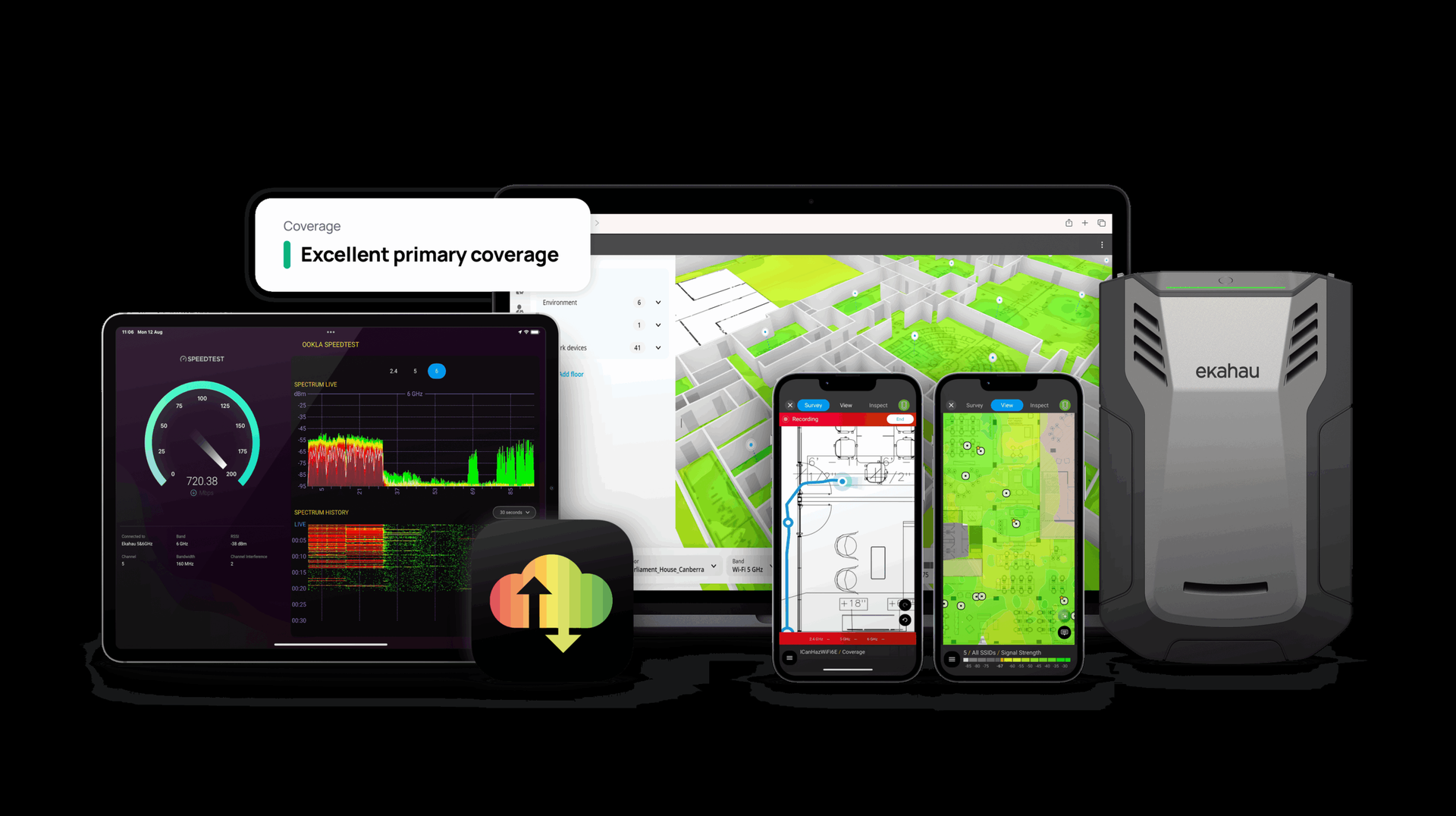
The bench uses Ekahau Sidekick 2 hardware for all on-site work. Sidekick 2 scans 2.4, 5, and 6 GHz simultaneously with integrated spectrum analysis and GPS — a single walk captures tri-band RSSI, SNR, channel utilization, noise floor, and non-Wi-Fi interference in one pass rather than three.
Ekahau Cloud handles project sync so a predictive done in Valencia can be extended by a field engineer in Phoenix without file transfer. The bench carries active ECSE certification on every engagement and carries the full Sidekick 2 + AI Pro + subscription stack — not a trial license and a laptop. See our enterprise wireless design for full scope methodology and validation criteria.
What does Ekahau ECSE certification actually mean on a live site survey?
Ekahau Certified Survey Engineer (ECSE) is the vendor-issued practitioner credential from Ekahau itself. It verifies that the engineer can execute the full predictive-to-validation workflow: import scaled floor plans, select correct wall materials from the attenuation library, place APs against the correct vendor models, configure simulation parameters, interpret heatmaps for RSSI, SNR, secondary coverage, channel overlap,
and data rate, and generate a validation report that holds up to vendor SE review. ECSE Design, Troubleshooting, and Advanced tracks each focus on a different piece of that workflow.
In practice, an ECSE-certified engineer walks every site. That is not a policy statement written for marketing — it is how scoping, SOW pricing, and dispatch work internally. No survey ships from WiFi Hotshots without an ECSE on the walk and ECSE-produced deliverables.
Common industry practice at generalist IT firms is to have one ECSE in the company and subcontract the rest to junior technicians with a laptop running Wi-Fi Explorer. That produces a coverage map; it does not produce a design.
The distinction matters most after install, when something does not work — the engineer who walked the site is the engineer who debugs the site. See our Ekahau predictive design methodology for full scope methodology and validation criteria.
What are the standard RF coverage targets you design to?
Design targets vary by use case. Data-grade enterprise Wi-Fi (laptops, tablets, knowledge-worker devices) is designed to -67 dBm primary coverage with 25 dB SNR minimum and 15-20% cell overlap at the -67 dBm contour.
Voice-grade Wi-Fi (Spectralink Versity, Vocera, Ascom Myco, clinical communicators) is designed to -65 dBm primary coverage with 25-30 dB SNR and 20-25% cell overlap so every handset sees at least two APs at -67 dBm everywhere — including bathrooms, stairwells, elevators, and med rooms.
Location services / RTLS requires three APs visible at -75 dBm or stronger for trilateration-grade accuracy, with APs placed along the building perimeter rather than clustered centrally.
Scanner-driven warehouse environments (Zebra, Honeywell handhelds) typically require -65 to -67 dBm along every aisle and dock with aggressive co-channel control (serving AP at least 19 dB stronger than any co-channel neighbor). These are starting points.
The actual numbers that end up in an SOW are driven by the device fleet, the application’s latency tolerance (WMS, EHR, SAP GUI, VoIP), and the structural RF profile of the building. Cell size is tuned by reducing AP transmit power, not by raising it — over-powered APs produce sticky clients and co-channel interference. See our Ekahau predictive design methodology for full scope methodology and validation criteria.
How do you validate a Wi-Fi 7 deployment versus Wi-Fi 6E?
Wi-Fi 7 (802.11be) validation extends the Wi-Fi 6E workflow with three additional tests. First, Multi-Link Operation (MLO) behavior — a single client associates across two bands simultaneously (typically 5 and 6 GHz).
The validation walk confirms the client actually negotiates MLO, which mode it picks (STR, NSTR, EMLSR), and whether the AP radio architecture provides the RF isolation STR requires.
Second, preamble puncturing — on wide channels (160 or 320 MHz) the AP should null sub-blocks occupied by DFS incumbents or 6 GHz incumbents rather than collapse the entire wide channel. Validation uses spectrum capture to confirm puncturing is active.
Third, 4K-QAM modulation only holds up within about 10-15 feet of the AP at SNR of roughly 38-40 dB or better — the walk confirms whether the client actually hits those rates and at what distance.
Practically, most enterprise Wi-Fi 7 gains in the near term come from MLO redundancy, faster roaming, and improved airtime efficiency in dense environments, not from headline PHY rates.
Validation reports reflect that — they emphasize roaming time under MLO, airtime utilization per BSS, and secondary-coverage density, not theoretical 46 Gbps numbers that are impossible to achieve with real client hardware. See our enterprise wireless design for full scope methodology and validation criteria.
Which wireless platforms does the engineering bench carry active expertise on?
Cisco: Catalyst 9800 wireless controllers (IOS-XE, HA SSO pairing, Advantage-tier licensing for AVC and policy), Catalyst 9100-series access points, and Meraki cloud-managed wireless (co-termination and per-device licensing).
Hewlett Packard Enterprise Aruba: ArubaOS 10 with Aruba Central cloud management, on-prem Mobility Conductor and 9240/9240XM controllers for air-gapped or compliance-bound deployments, and Instant AP clusters for small-footprint work. Juniper Mist: Wi-Fi Assurance, Wired Assurance, and Marvis AI assistant with SLE framework (Time-to-Connect, Throughput, Coverage, Capacity, Roaming, Successful Connects).
CommScope Ruckus: SmartZone controllers (vSZ, SZ100, SZ300), ChannelFly and BeamFlex radio technology, and RUCKUS One cloud platform. Extreme Networks: ExtremeCloud IQ with Universal Hardware personas and CoPilot AIOps.
Vendor-agnostic means the design recommends the platform the environment actually needs — which is not the same as the one the customer’s incumbent reseller happens to resell. Platform choice is driven by density profile, feature requirements (AIOps, location services, SD-branch integration), licensing posture, and operational ownership, not by partner-margin mechanics.
On white-label engagements the existing VAR brings the product relationship and WiFi Hotshots brings the engineering — common on Cisco and Aruba deals where the VAR has the hardware contract and needs deeper wireless engineering depth than they carry in house. See our enterprise wireless design for full scope methodology and validation criteria.
Start with an enterprise network engineering scope call.
Floor plans, switch inventory, controller config, or just a rough sketch of what’s keeping you awake — send what you have. A WiFi Hotshots Customer Success Manager returns a fixed-fee SOW, routed to the right engineering bench, within three business days of a scoping call, or tells you honestly if the scope needs more discovery before a number is responsible to quote.
Authority references
The credentials named above trace to the bodies that issue them. Links below if you want to verify.
- CCIE — Cisco Certified Internetwork Expert — expert-tier routing, wireless, and security certification from Cisco. www.cisco.com
- CWNE — Certified Wireless Network Expert — the industry-recognized expert certification from CWNP for enterprise Wi-Fi design. www.cwnp.com
- BICSI RCDD — Registered Communications Distribution Designer — BICSI credential for structured cabling and telecommunications infrastructure design. www.bicsi.org
- Ekahau ECSE — Ekahau Certified Survey Engineer — Ekahau’s credential for enterprise Wi-Fi site surveying and RF design. www.ekahau.com